Adding captions to news video means producing a timed transcript of what is actually said in the clip, then delivering it either as a separate caption file the viewer can switch on or as text burned permanently into the picture. The hard part is not the software. It is getting names, titles and figures right under a deadline.
A usable workflow takes seven steps: lock the cut, transcribe, break the transcript into readable cues, time the cues, proofread for newsroom accuracy, export to the format each destination needs, then test playback. Most newsroom failures come from skipping step five. This guide walks through all seven, including the file formats and the destinations that require different ones.
Last reviewed October 2026.
What You Need
Most of the work happens before anyone opens a caption editor. Get these in place and the rest is assembly.
- The locked final cut. Captions that match a rough edit will drift the moment the editor trims a frame or swaps a clip.
- An audio track you can transcribe cleanly. Pull dialogue out of a noisy field recording with noise reduction before transcription, not after.
- A transcript source. The reporter’s notes, the script, the tape transcript or a prior interview transcript. Names of interviewees and spellings of place names come from a human, not from a speech-to-text model.
- A caption editor with auto-transcribe. Any NLE with a transcription-based editing panel works: Adobe Premiere Pro and Descript transcribe against the timeline, CapCut does the same on mobile and desktop, and YouTube Studio handles the web path directly.
- A house style preset. Font, size, colour, outline, line length and safe-zone position, saved once so every clip matches.
- A file naming convention. Something like slug-date-slug.en.srt, applied consistently so the archive stays searchable years later.
- A second reviewer. Not optional for anything a public figure says by name.
How to Add Captions to News Video
1. Prepare the final video and transcript
Freeze the edit first. Ask the editor to lock the sequence before captioning begins, and treat any later change as a reason to re-check sync.
Then build a fact sheet: full names, job titles, organisations, locations, spellings of uncommon surnames, and every number that will be spoken aloud. In news footage this is where captions break. Speech-to-text turns “Maria Alvarez-Fontenot” into something nobody wants to broadcast.
2. Create the first caption transcript
Transcribe the whole clip, including the reporter’s live reads and any reporter intro or outro that stays in the cut. Keep reporting and quotation in separate transcript lines so a captioner can mark speaker changes cleanly later.
Add non-speech information that carries meaning: [SIRENS APPROACHING], [APPLAUSE], [PRESS SCRUM NOISE]. Broadcast engineers tend to treat captioning as an automated workflow problem first, and a conventions cheat sheet is worth more to a newsroom than any default setting inside a tool. Filmmakers on community forums keep hunting for exactly that list.
3. Break the transcript into readable caption cues
Caption cues are small timed blocks, not paragraphs. The standard a working newsroom uses:
| Rule | Guideline |
|---|---|
| Lines per cue | 2 maximum, 1 preferred for vertical video |
| Characters per line | 32 to 42, breaking at a natural pause |
| Reading speed | 15 to 20 characters per second, never above 21 |
| Minimum duration | 1 second, or 5 characters per second plus 2 |
| Gap between cues | 2 to 3 frames so cues do not flicker |
| Font | Sans serif, white with a dark outline or box |
| Placement | Lower third for 16:9, upper area for 9:16 so platform buttons do not cover it |
Split a cue at a speaker change and at a strong punctuation mark. Combine two short cues rather than leaving a single word on screen for a fraction of a second.
Strip filler words. Nobody needs to read um in a news clip, and keeping the text tight buys back timing you can spend on proper names.
4. Add and time the caption file
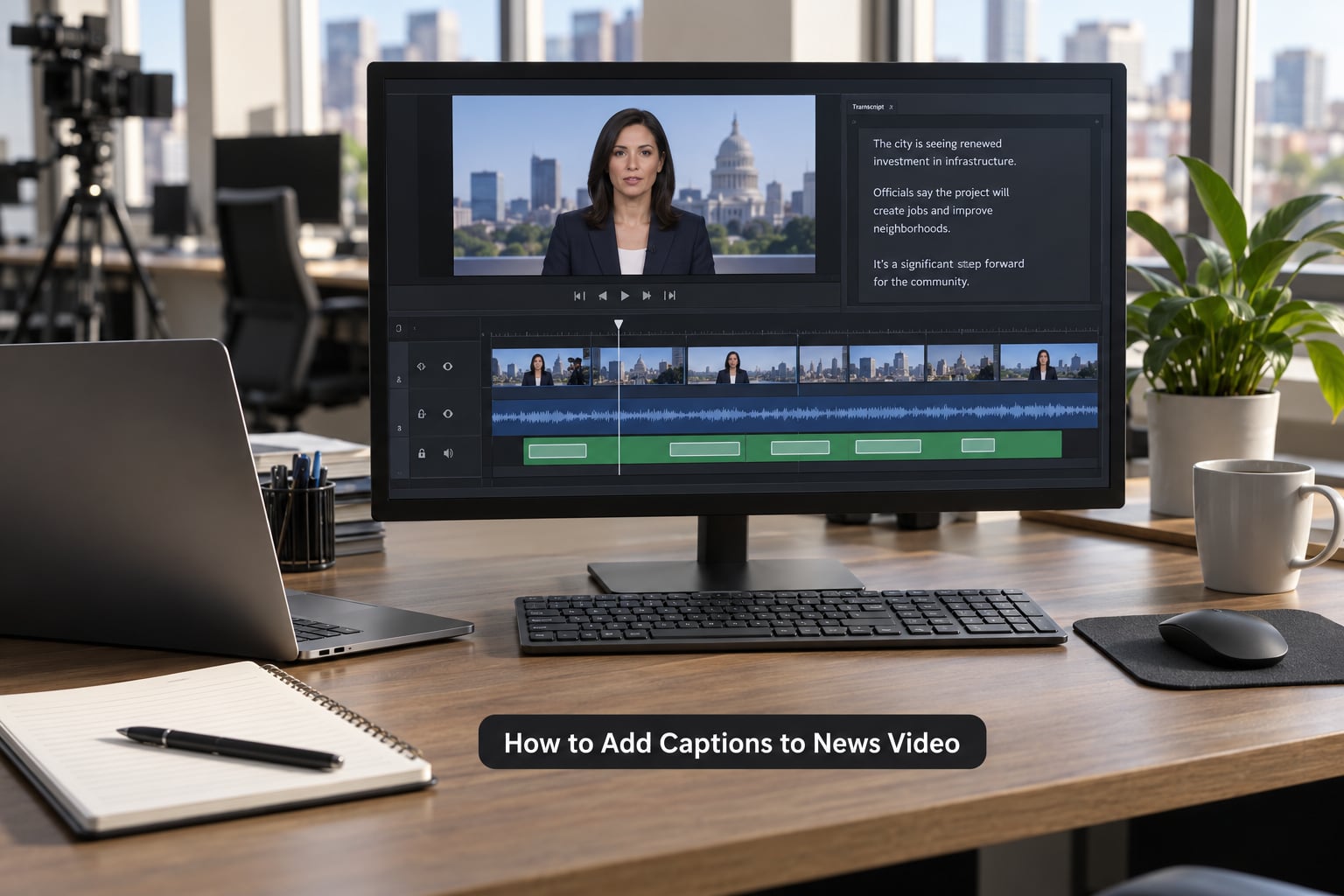
Import the transcript as a caption track, then correct timing against the video rather than against the audio waveform alone. Auto-timing drifts most at clip joins and in quiet passages where the model guesses.
If a clip starts without captions, the transcript is the source. Auto-transcribe in your editor, fix the text, export the timed file, then re-import it as the track your player will read.
A hand-written SRT cue looks like this:
1
00:00:01,200 --> 00:00:04,600
[MICROPHONE] MAYOR ELLIS
ON THE BUDGET VOTE

2
00:00:04,700 --> 00:00:08,300
WE WON IT 44 TO 41
LAST NIGHT
Note the comma-separated milliseconds and the strict gap between cue 1’s out point and cue 2’s in point. Overlapping cues break some players, and the failure looks like captions dropping out at exactly the wrong moment.
5. Review for newsroom accuracy and accessibility
Accuracy is a legal-quality question in broadcast and an editorial one everywhere else. Accuracy, synchronicity, completeness and placement are the four attributes caption quality gets judged on, and a clip can fail on any one of them while looking fine to the person who made it.
Run a two-person check. One person reads the caption text against the script and the fact sheet, watching names, titles, locations, figures and quotation marks. The other watches only the screen, checking that cues land on time, sit clear of the lower-third graphic, and stay inside the safe zone.
Keep the file delivered alongside the video rather than only burned in, and note in the CMS whether captions were auto-generated or human-verified. Broadcast engineers building publishing pipelines tell the same story from the technical side: an automated caption job needs a status check and a final-URL fetch step, and no desk wants to put air on an unchecked transcription.
6. Export and publish the captioned video
Send each destination the format it actually reads, rather than one file to all of them.
| Destination | Format | Notes |
|---|---|---|
| Website or CMS player | WebVTT | Enable the track in the player and set the default language |
| YouTube | SRT upload in YouTube Studio | Open the video, go to Subtitles, add the language, upload the file |
| Vimeo | SRT or VTT | Attach as a text track and set it active by default |
| TikTok, Reels, Shorts | Burned-in | No reliable sidecar track, so caption pixels into the export and stay clear of the platform UI |
| Broadcast or OTT playout | SCC or EBU TT-D | Frame-accurate timed text to the playout spec |
Wherever a sidecar track is available, deliver one. A burned-in caption cannot be turned off, cannot be localised, and cannot be read by a search index.
Publish the full transcript as text on the page too. It costs a few minutes and makes the story findable by name, which matters when the story turns on a person.
Archive the caption file beside the video and the transcript in the same folder. Six months later, a retransmission request or a correction is a search away instead of a re-listen.

7. Test the caption experience after publishing
Watch the published clip the way a viewer does: on a phone, on desktop, with sound off and with sound on. Turn captions on manually as well as checking the default state.
Then watch at 1.5x speed. If a viewer skims at double speed, cues that read cleanly at normal pace become unreadable. Check at least two browsers and a couple of devices before the clip goes to social, because each player handles styling and default-track behaviour differently.
Common Mistakes
Auto captions published unproofread are the big one. Speech-to-text is fast and cheap, but it garbles proper nouns, job titles, place names and any figure spoken in the middle of a sentence. It gets general words right and the words that matter wrong.
Burned-in captions colliding with a lower-third graphic. Pick a placement band, put it in your style preset, and check it against every graphic package your desk uses.
Three-line cues and cue fragments. Both slow readers down. Merge short cues and split long ones at a pause.
One format for every destination. A vertical social clip needs burned-in text; your website player needs a WebVTT track. Building two exports takes minutes.
No transcript page. The caption track alone is not indexed by most search engines.
Assuming every clip carries the same obligation. Where the footage originated from television, internet redistribution rules apply. Web-native footage follows platform rules instead, and the source of the clip should be checked before export.
Practical tip from desks that run this well: keep a one-page conventions sheet with your own sounds on it. Sirens, breaking-news stings, press scrum noise, a mic check in the field. That sheet is what stops every captioner reinventing the notation.
Frequently Asked Questions
How do I add subtitles to a video that has none?
Transcribe the audio first, either with an auto-transcribe feature in your editor or a transcription service. Break the transcript into timed cues, correct the text and timing against the video, then export a sidecar file such as SRT or WebVTT, or burn the captions into the picture. On YouTube you can skip the file and use auto-captions, then edit the cues directly in YouTube Studio.
How do I turn on auto captions?
In YouTube Studio, open the video, select Subtitles in the left menu, choose the language and click the create or auto-transcribe option. In Premiere Pro or Descript, open the sequence and run transcribe against the timeline. In CapCut, open the clip, tap Text, then Auto Captions. Every platform needs a human proofread pass afterwards, especially on names and figures.
Should I use an SRT file or burn in the subtitles?
Deliver a sidecar track wherever the destination supports one, because it can be switched off, translated and read by search engines. Burn in only when the platform has no reliable caption track, which is the usual case for TikTok, Reels and Shorts. Many newsrooms deliver both: the sidecar file for the website player and a burned-in export for social.
Are captions required for news video?
Where the footage originated on television, internet redistribution rules apply to captions, and live or near-live news carries the strictest treatment. Web-native footage follows platform rules and accessibility expectations instead. Public-sector newsrooms may also be bound by ADA Title II and Section 508, and the European Accessibility Act applies in its scope. Check your own obligations rather than assuming.
How accurate are automatic captions?
Good on clear speech and ordinary words, unreliable on proper nouns, job titles, place names, acronyms and spoken figures. In news footage those are usually the words the story depends on, so treat auto-transcription as a first draft only. A human pass against the script and the fact sheet is what makes the caption file publishable.
How long does it take to caption a news video?
Auto-transcription of a one-minute clip takes under a minute. The proofreading pass is what costs time: a minute of clean studio audio takes a captioner roughly three to five minutes, and messy field audio with names and numbers takes considerably longer. Under deadline pressure, budget for the review, not just the transcribe.
Conclusion
Start by locking the cut and writing the fact sheet. Everything after that is faster than it looks, and the fact sheet is what keeps the names and figures right.
Transcribe, break the cues, time them, proofread against the script, then export the format each destination needs. Get that routine into the newsroom and adding captions to news video stops being the task everyone rushes at the end of a deadline.