A multimedia project timeline is a dated plan that breaks a video, audio, photo, or interactive story into small assignable tasks, links each task to the one it depends on, gives every task a single owner, and marks the approval gates and contingency sitting between today and launch. Learning how to plan a multimedia project timeline comes down to eight steps: fix the scope, split the work into workstreams, map dependencies, estimate with ranges, set milestones, assign owners, test the plan on real production, then buffer and communicate. Most teams can do the first pass in an afternoon.
The reason to do it properly is protection. A timeline is the evidence you use when a stakeholder asks for one more format, one more stakeholder review, or a launch two weeks earlier. Producers who plan in their heads end up absorbing overruns personally; producers who plan on paper can price the change.
This guide is written for journalists and visual teams, developers building interactive or scrollytelling pieces, designers, and freelancers bidding on multi-format client work.
Table of Contents
- What You Need
- Step-by-Step: How to Plan a Multimedia Project Timeline
- 1. Set the scope and define the final story
- 2. Break the project into production workstreams
- 3. Identify dependencies and fixed dates
- 4. Estimate effort with ranges, not guesses
- 5. Build milestones around decisions and deliverables
- 6. Assign owners and review checkpoints
- 7. Test the timeline against real production
- 8. Add a launch buffer and create the communication rhythm
- Common Mistakes
- Frequently Asked Questions
- Conclusion
What You Need
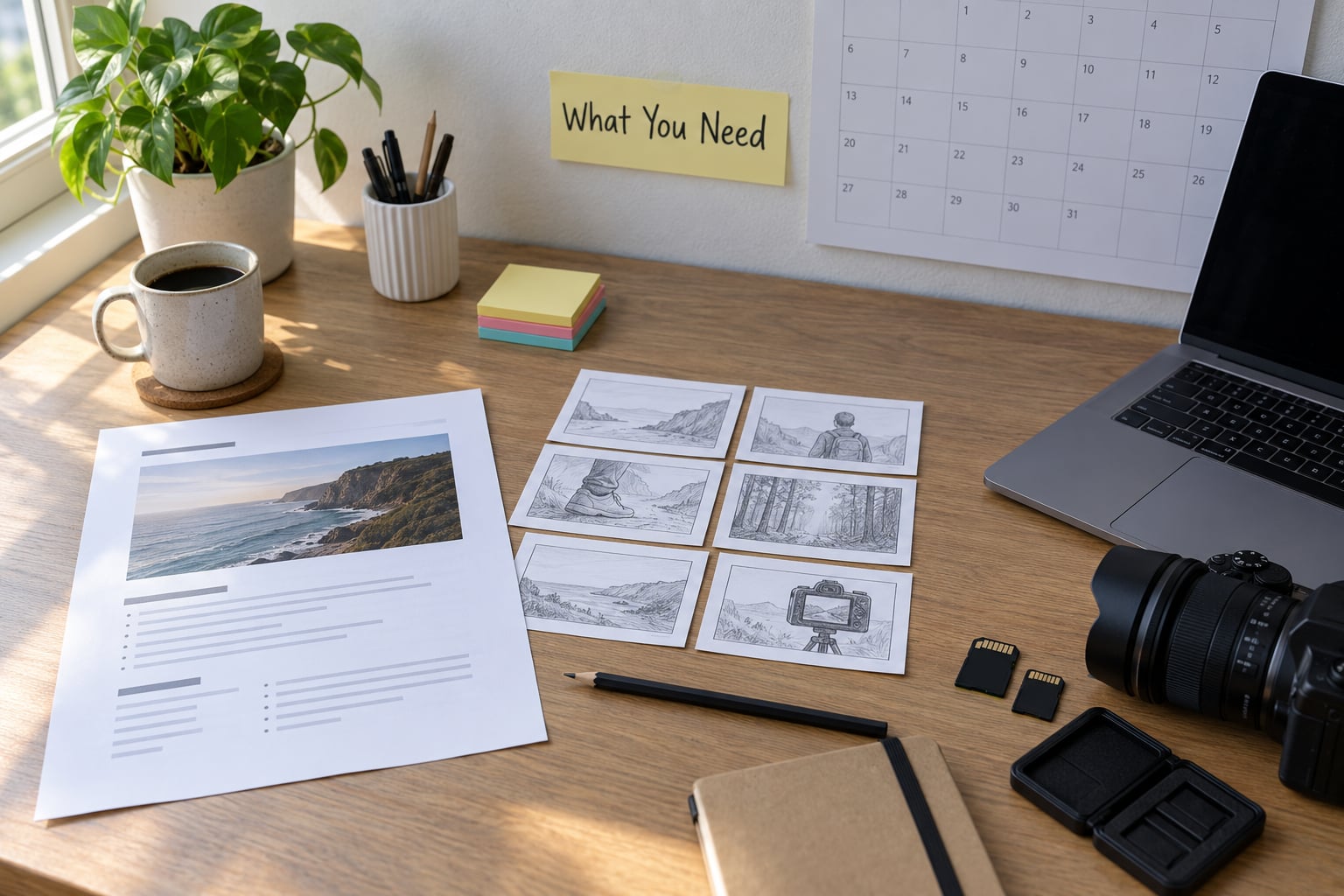
You need nine things before you estimate a single hour.
- Project brief — one page covering objective, audience, deliverables, platforms, launch date, approval authority, and what is explicitly out of scope.
- Core editorial idea — the question the piece answers, in one sentence. If you cannot write that sentence, you are not ready to schedule.
- Format list — every deliverable, including the versions nobody talks about: vertical cut, square teaser, audio-only, transcript, caption file.
- Publishing constraints — embargo date, event date, platform review periods, sponsor or client sign-off chains, fact-check windows.
- Team roles — who reports, who edits, who designs, who builds, who approves, and who has final say.
- Tools — a shared spreadsheet at minimum. A scheduling app only helps if the work is already broken down.
- Source material — interviews, datasets, footage, existing photography, with access dates attached.
- Decision process — how decisions get made, how long anyone has to respond, and who is allowed to reopen an approved decision.
- Reference projects — two or three past pieces of similar scope, so you can sanity-check estimates later.
Keep the brief to one page. If it runs longer, you are writing a proposal, not a planning document.
Step-by-Step: How to Plan a Multimedia Project Timeline
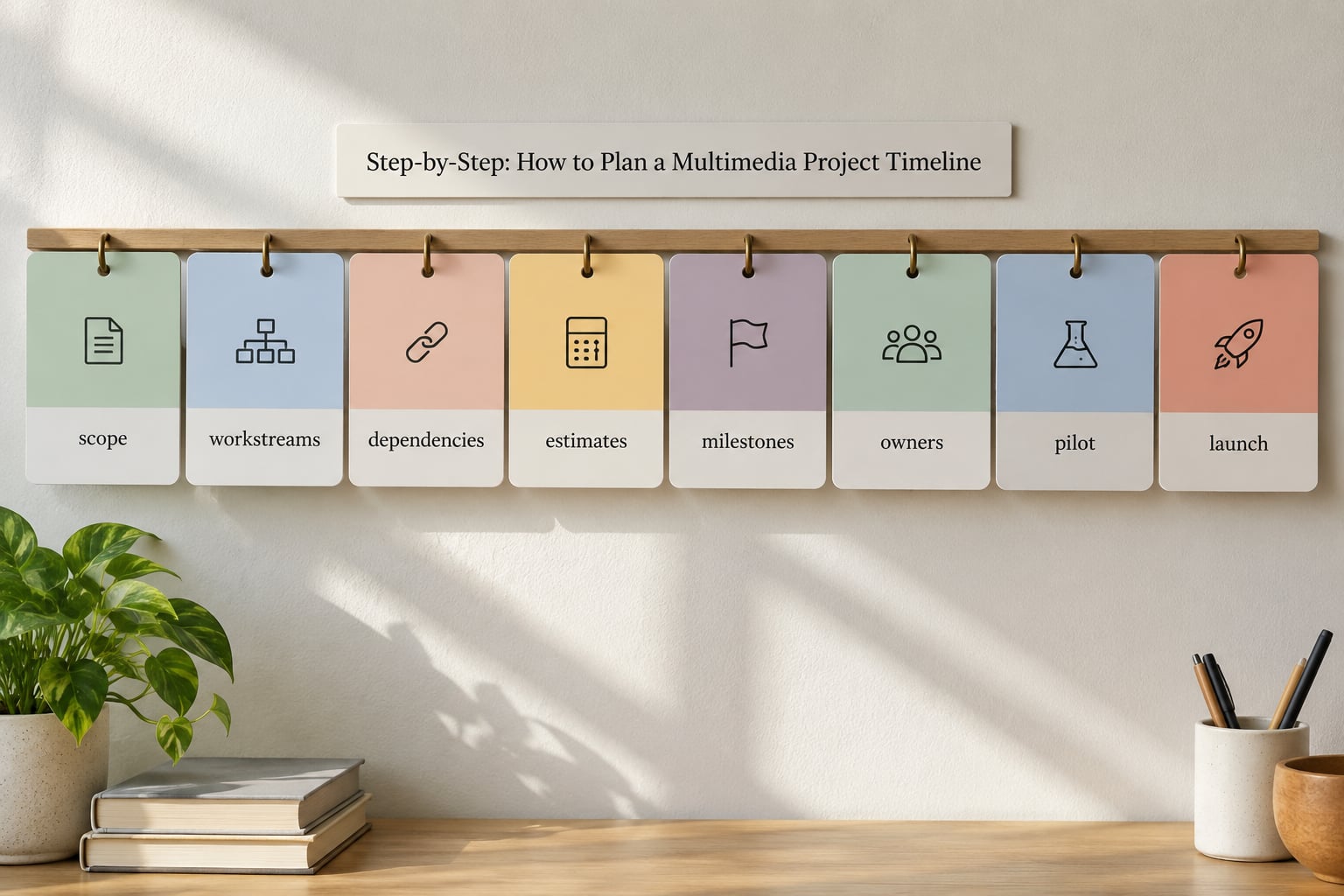
A broad multimedia idea becomes a schedule through eight steps. Each one produces something the next one needs: scope produces workstreams, workstreams produce dependencies, dependencies produce estimates and milestones, milestones produce owners and review points, and the whole thing gets tested and padded before anyone commits to a date.
1. Set the scope and define the final story
A project brief is the only defense against uncontrolled expansion, so write it before the schedule exists. It needs a defined audience, one editorial question, a narrative promise, the target formats and platforms, a launch date, and a short exclusions list.
That exclusions list does most of the work. “No narrated version”, “no third-party dataset”, “no animation beyond two explainer sequences” — each line removes an argument you would otherwise have mid-project.
Write a definition of done while you are at it: the concrete conditions that let you call the piece finished, such as all three aspect ratios delivered, captions and transcript published, and legal sign-off recorded. Vague goals such as “make it more exciting” cannot be scheduled, and reviewers will chase them forever.
2. Break the project into production workstreams
A work breakdown structure is just the list of all discrete, severable activities your project requires. Splitting a multimedia project into workstreams is what makes it schedulable.
The usual workstreams for a mixed-format piece:
- Reporting — interviews, field work, fact-checking, background reading.
- Photography or illustration — assignment, shot list, edit selects, licensing.
- Data preparation — sourcing, cleaning, validation, chart construction.
- Design — visual system, type scale, templates, motion specs.
- Development — build, CMS integration, responsive behaviour.
- Audio and video — shooting, editing, sound mix, colour, music.
- Accessibility — captions, transcript, alt text, audio description.
- Testing — devices, platforms, browsers, load time, links.
- Launch — deployment, verification, archive, correction window.
The useful shift happens when you replace lazy tasks with real ones. “Prepare video” becomes “ingest and log day-two footage”, “confirm music licence or swap track”, “cut 90-second vertical open”. Each of those can be assigned, timed, and checked.
3. Identify dependencies and fixed dates
A dependency is a task that cannot start until another finishes or partly finishes. There are four types worth naming, because most schedules are wrong for confusing them: finish-to-start (the normal case), start-to-start (both begin together once a shared input arrives), finish-to-finish (two tasks must end together), and independent (no link at all).
Fixed dates come from outside your control and they set the boundaries: an embargo, a conference date, a sponsor’s review window, a dataset that refreshes on the first of the month, a fact-check window that opens two days before publication.
Chain the dependencies and you will see the critical path — the longest unbroken chain of dependent tasks that sets the earliest possible finish. Every task with float sits off that chain; the critical path tasks have none. When something slips, you only have four honest responses: cut scope, add qualified capacity, move the date, or simplify the workflow. Quietly removing review, backup, captioning, or rights checks is not on the list, and it is what turns a late delivery into an unusable one.
4. Estimate effort with ranges, not guesses
Single-number estimates are fiction with extra steps. Use three points per task instead: optimistic, likely, and pessimistic. A common weighting is (optimistic + 4 × likely + pessimistic) ÷ 6, which pulls the result slightly toward the pessimistic end where most creative work actually lands.
Be explicit about what you are measuring. Elapsed time is the calendar span; focused labor is the hours actually worked on the task. A rough cut that needs nine focused hours usually takes three days of elapsed time because it waits on other assets and one round of feedback. Schedules that confuse the two are the reason people think an edit “should have taken a day”.
Rough reference ranges for planning a multimedia project timeline, from a single day of shooting to a finished package:
| Project type | Production | Post-production and delivery | Total elapsed |
|---|---|---|---|
| Single interview shoot with a web edit | 1–2 days | 1–2 weeks | 2–3 weeks |
| Social-first vertical video, simple graphics | 1 day | 3–7 days | 1–2 weeks |
| Chart-led data story with scrollytelling | 2–3 weeks reporting and analysis | 3–5 weeks build and polish | 6–9 weeks |
| Short documentary, 20–30 minutes | 2–4 weeks | 6–10 weeks | 3–5 months |
| Live event multi-camera capture | 1–3 days plus setup | 2–4 weeks | 4–6 weeks |
Add 10–20% contingency on top, no exceptions. A schedule with zero spare capacity fails the first time something ordinary happens.
5. Build milestones around decisions and deliverables
Milestones mark moments where something is decided or handed over, not vague weekly goals. Nine cover most multimedia work: concept approved, prototype approved, first complete draft, editorial review, functional build, content freeze, accessibility review, final test, publication.
Each milestone should be an approval gate with written acceptance criteria, so a reviewer is judging finished work rather than your intentions:
| Gate | What gets judged | Acceptance criteria |
|---|---|---|
| Concept | Story, format, audience | Brief signed; scope and exclusions frozen |
| Prototype | Structure and interaction | One section built end to end in the target template |
| Rough cut | Story structure, factual accuracy, interview selection | Not colour, not sound, not polish — those come later |
| Content freeze | All copy, all data, all edits | No new copy accepted without a change request |
| Accessibility | Captions, transcript, alt text, contrast | Every media asset has a caption file and alt text |
| Final test | Devices, platforms, links, load time | Checked on the real target devices, not one laptop |
Reviewers who judge rough cuts on unfinished colour and sound reopen work that was already approved, and there is no true finished state after that.
6. Assign owners and review checkpoints
Every workstream needs exactly one accountable owner. Contributors, reviewers, and approvers can multiply; owners cannot. Producers who schedule edits for people who never do the estimating get systematically wrong answers — ask the person who will do the work.
Also set the approval rules, because unofficial approvers are where weeks disappear. Name who signs off editorial, who signs off technical, and how many rounds each gets. Two to three review rounds per deliverable is normal; beyond that you are negotiating, not producing.
Put the reviews in the calendar as events with a response deadline, and ask for timecoded notes rather than free-text comments. Here is what a small three-week package looks like in practice:
| Task | Owner | Start | Finish | Dependency | Output |
|---|---|---|---|---|---|
| Brief and scope sign-off | Producer | Mon wk 1 | Tue wk 1 | — | Signed brief |
| Interview booking and prep | Reporter | Tue wk 1 | Fri wk 1 | Brief | Booked slots, question list |
| Shoot day | Camera + audio | Mon wk 2 | Mon wk 2 | Prep | Ingested, checksummed media |
| Assembly cut | Editor | Tue wk 2 | Thu wk 2 | Ingest | Rough cut v1 |
| Story review round 1 | Editor | Thu wk 2 | Thu wk 2 | Reporter, fact-checker | Timecoded notes |
| Fine cut and mix | Editor | Fri wk 2 | Tue wk 3 | Notes | Fine cut v2 |
| Graphics and captions | Designer | Tue wk 3 | Wed wk 3 | Fine cut | Caption files, alt text |
| Publish and verify | Producer | Thu wk 3 | Thu wk 3 | Captions | Live piece, correction window open |
Note what is absent: a “second round” row. Fold it into the existing review rows and decide in advance what happens if notes arrive late.
7. Test the timeline against real production
The fastest way to find a bad estimate is to build something small. Shoot one short interview, clean a small dataset, or build one scrolling section. Compare the hours actually spent against the estimate and write the difference down.
That pilot also surfaces the things a spreadsheet cannot predict: how long the sponsor actually takes to respond, whether the dataset has two undocumented null values, whether the vertical cut doubles the edit time on a piece with a lot of on-screen text.
Check platform behaviour early, not at launch. Embed and view the prototype on a mid-range phone over mobile data. If the load time is bad, you have found the problem while there is still time to change the approach.
Revise the schedule before the team commits to it. Nobody will complain about a plan that changed in week one. They complain loudly about a plan that was known to be wrong and was published anyway.
8. Add a launch buffer and create the communication rhythm
Reserve 10–20% of total duration as launch buffer, and label it as such. File management, review turnaround, export, accessibility, legal checks, and uploading can consume as much time as the edit itself. Treat the buffer as a scheduled task with an owner, not a hope.
Keep a small risk register with three columns: the risk, the early warning that tells you it is happening, and the response when it does.
| Risk | Early warning | Response |
|---|---|---|
| Reviewer misses the deadline | No notes 24h before the next dependent task starts | Escalate to the named approver; start downstream work that does not need the notes |
| Scope grows by request | New deliverable mentioned in chat, not in the change log | Log it, price it in days, offer scope cut or date move |
| Contributor cancels | No confirmation by the day before | Activate the named backup; drop the dependent item to the next window |
| Media corrupted in transit | Checksum failure on ingest | Restore from the offsite copy; re-ingest that card before the next step |
| Fact-check opens new questions | Two or more claims unverified late in the week | Extend the review window rather than shipping unverified claims |
Set the communication rhythm next: a short status update twice a week using the same six status values every time — not started, in progress, blocked, ready for review, changes requested, complete. Blocked is the one people forget, and it is the one that needs escalating immediately.
When a task slips, re-forecast the dependency chain forward rather than shifting everything a week. Only the critical path moves the launch date; work with float absorbs the delay on its own.
Common Mistakes
Planning from an idealised calendar. Someone maps out a neat weekly plan with no review time, no upload time, no waiting. The fix: schedule backward from the launch date, including everything that must happen before it.
Treating content and development as separate projects. They interlock. The fix: one timeline, one table, and the build starts when the first section is genuinely ready, not when the script is finished.
Leaving no review time. Feedback arrives late, becomes vague, and triggers another round. The fix: book reviews as calendar events with a response deadline, and state what is being judged at each gate.
Vague ownership. “The team will edit it” means nobody edits it. The fix: one accountable owner per workstream, named in the schedule.
Changing scope without recalculating dependencies. Adding a version, a platform, or a stakeholder does not take a day; it takes whatever that workstream plus its reviews actually take. The fix: log the change, price it in days and money, then choose between cutting scope elsewhere, adding capacity, or moving the date.
Scope creep without a change log. This is the single most cited cause of timeline failure in production forums, and it gets worse when no contract defines a change-request process. The fix: keep a change log with date, requester, what was added, days added, and who approved it. Then the conversation becomes “we can do this, and here is what it costs or what comes out”, instead of an argument about whose fault the delay is.
Over-detailed schedules. If updating the plan takes longer than working, nobody updates it and it stops reflecting reality. The fix: keep tasks at two or three days of real work, and update it weekly, not daily.
Frequently Asked Questions
What are the stages of a multimedia project?
Most teams run eight stages: development, pre-production, production, ingestion and organisation, post-production, review and approval, versioning and delivery, then launch and archive. Academic sources often compress these into five: conceptualisation, planning and design, production, testing and delivery, and evaluation. The eight-stage version is the one that schedules properly, because it separates review, accessibility, and delivery from the edit itself.
How do I create a production timeline?
Write a one-page brief first, then list every discrete task your deliverables require, estimate each with an optimistic, likely, and pessimistic figure, and link the tasks that depend on each other. Assign one owner per task, mark the approval gates, and add 10–20% contingency before you publish the dates. A shared spreadsheet handles this well for teams under about ten people.
How many review rounds should a video project include?
Two to three rounds per deliverable is the norm, and each round needs written acceptance criteria so the reviewer judges the right thing. Approve rough cuts on story structure, factual accuracy, and interview selection, not on colour and sound. Ask for timecoded notes rather than free-text comments, and give the reviewer a deadline that the schedule actually depends on.
What is scope creep and how do I prevent it in a media project?
Scope creep is work that gets added to a project without the schedule, budget, or dependencies being recalculated. Prevent it by writing an exclusions list into the brief, keeping a change log that records what was added and how many days it cost, and agreeing in advance who can approve extra work. When a request arrives, offer a scope cut, added capacity, or a moved date instead of absorbing it silently.
How do I estimate how long a video edit will take?
Break the edit into discrete tasks rather than one line called editing: assembly cut, story revisions, graphics, colour, sound mix, caption files, and export for each delivery version. Estimate each with an optimistic, likely, and pessimistic figure, then weight them toward the pessimistic end. Multiply the finished edit hours by an elapsed-time factor, because edits wait on other assets and reviewer availability.
What is the 3:2:1 rule in video editing?
The 3:2:1 rule is a backup method for media files: keep three copies, on two different kinds of storage, with one copy somewhere offsite. It is a storage rule rather than a timeline rule, but it belongs in your schedule because ingest, checksum, and backup are real tasks with real duration, and corrupted media is one of the most common causes of a lost production day.
Conclusion
Start with the scope. To plan a multimedia project timeline that survives contact with production, write the one-page brief, including the exclusions, then list every discrete task the deliverables require before you open a scheduling tool.
From there: map the dependencies and identify the critical path, give each workstream one named owner, estimate every task as a range, and book the review rounds as calendar events with response deadlines. Add 10–20% contingency, label it launch buffer, and give it an owner.
Keep a change log from day one. It is what turns “we need one more version” from an argument into a line item, and it is the difference between a schedule you update and one you defend.