Traveling with devices as a journalist comes down to two jobs that most guides separate but nobody really does together: packing a kit that still works after a bag goes through a conveyor belt, and configuring that kit so it reveals nothing if it is inspected, lost or taken. Get both right and a three-week assignment feels routine. Get one wrong and you lose a laptop, a source, or both in the same hour.
The workflow itself takes an afternoon to set up properly. What follows is the order I would work in: the equipment that actually earns its weight, the redundancy that keeps you filing after something breaks, the border rules that trip up first-time international reporters, and the daily habits that protect sources while you are on the ground. Border and customs rules change, so treat the policy details as a starting point dated 2026 and verify them against primary sources for your destination.
What You Need
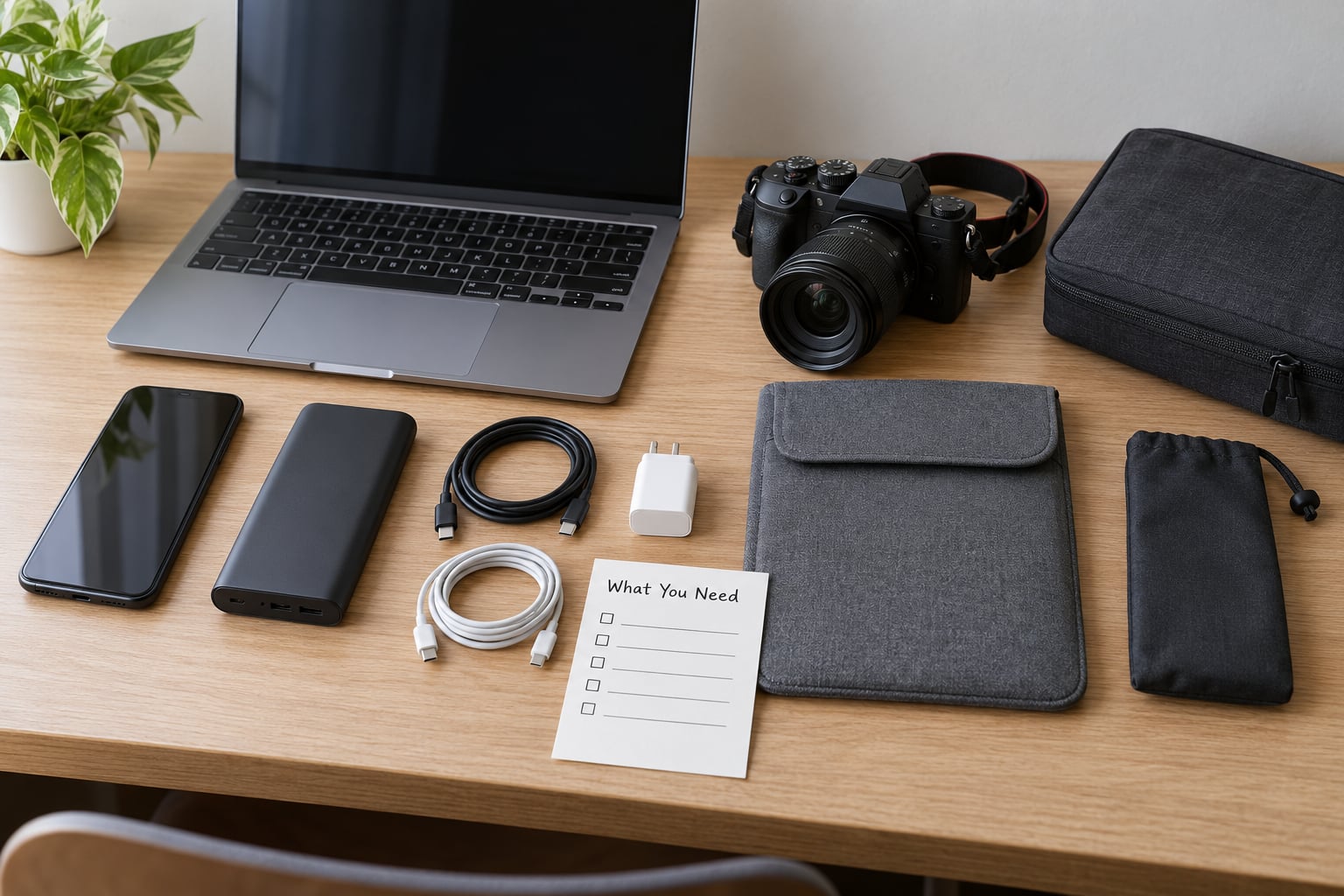
Plenty of gear lists turn into a packing weight problem. The fix is a simple split: the essential column is what you cannot file without, the optional column is what makes the work nicer. If a device sits in the optional column, it stays home when the assignment gets tight.
Computing. One laptop you can actually type a story on, plus one stripped-down machine for backup. A tablet is a good field partner for reading, interviewing notes and light editing, but it is a poor second machine because a single dropped tablet takes out both roles at once.
Capture. Camera body, one or two lenses, spare batteries rather than a spare charger, and enough cards to cover two days without a resupply. Microphones and recorders are cheap to lose and expensive to replace on short notice.
Power. A power bank sized for your long flight day, the right wall adapters for the countries on the route, and a multi-port charger. Check the wattage your laptop needs before you commit to a multi-port brick; undersized chargers get hot and throttle.
Connectivity. A local SIM or eSIM for data in each country on the itinerary, your own service’s SIM for voice and as a fallback, and a cable or dongle for newsroom systems that block wireless networks. Long assignments in places without reliable cellular coverage need a satellite messenger or satellite uplink, which you test before departure rather than in the field.
Security. Hardware-encrypted storage, a hardware security key, a way to wipe a device remotely, and an encrypted backup you have actually restored from at least once. All of that costs nothing extra and most of it takes under an hour to set up.
Documentation. Passport with pages you may need, press card, accreditation letters, proof of employment, emergency contacts, and copies that live in two separate places, one of them encrypted in the cloud. A letter from your editor-in-chief naming you, your outlet and your assignment dates does real work at a checkpoint.
Step-by-Step: The Reporting Travel Workflow
How to Travel with Devices as a Journalist: Build a Redundancy Kit
Redundancy is not about carrying two identical laptops. It is about making sure a single failure does not end your reporting. The failure modes are predictable: a device that will not boot, a drive that dies, a stolen bag, a stolen device, a dead battery, a network that blocks you.
Work through each one and name the backup.
- Device. A second, older machine kept clean of sensitive material. Its job is to get a story filed and a message sent, nothing more. If it is stolen, you have not lost a source.
- Data. An encrypted backup of your working files that you have restored once before leaving, so you know it works rather than assuming it does.
- Storage. Two sets of memory cards, physically separated. A corrupted card in a hotel room should not take the day’s footage with it.
- Power. Two power banks rather than one large one, split between bags. A single battery is the most common single point of failure on the road.
- Connectivity. Two ways online, ideally on different networks, so a local outage is not also a missed filing deadline.
- Credentials. Passphrases, two-factor backup codes, VPN details and CMS access stored where you can reach them if your work phone is gone. A password manager synced to your personal account is the usual answer.
People who travel this way for months report that the constraint ends up being weight, not capability. One camera and one laptop plus adapters is generally workable across a multi-country trip; the adapters are what people forget to budget room for.
Pack the Hardware So It Survives Handling
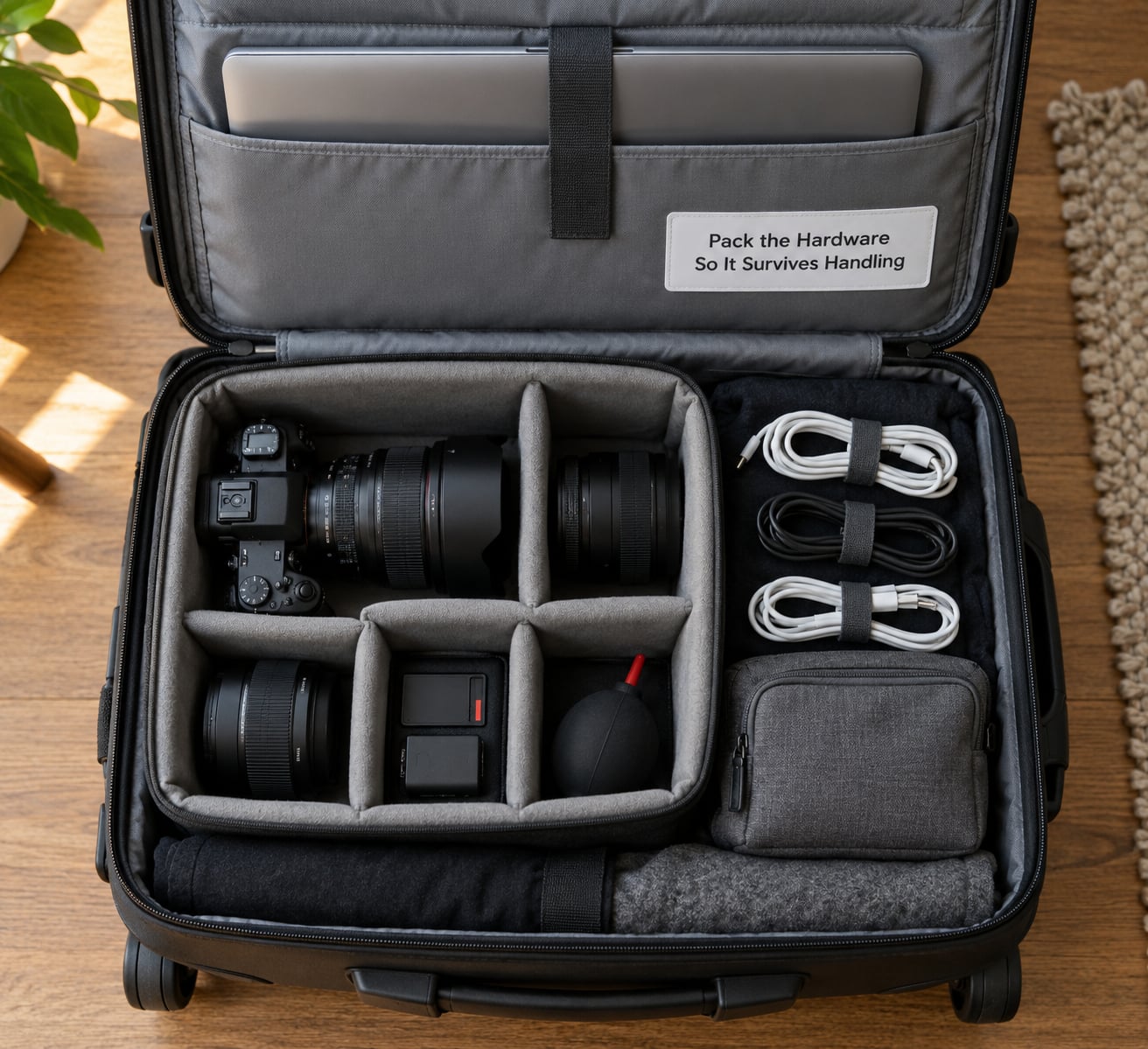
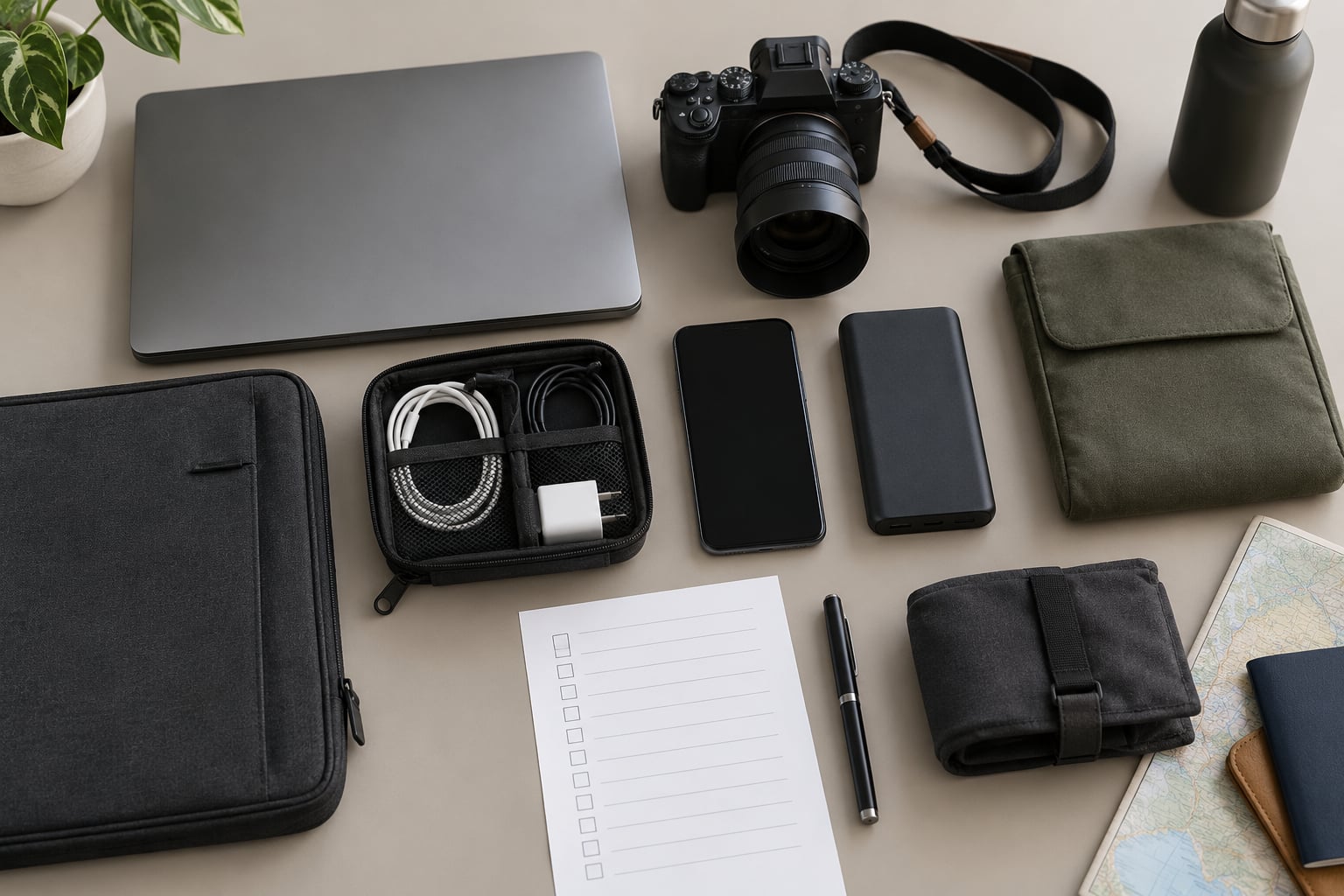
Baggage handling is the least dramatic threat to your kit and the most likely one to happen. The practice most experienced mobile journalists converge on: carry your computer and camera in a padded bag nested inside your backpack, not in a separate roller case riding in the hold.
A few details that matter more than they sound. Label every device and every bag with your name, contact details and a note that the contents are professional equipment, which reduces the chance of an expensive-looking mystery box being opened by anyone unfamiliar with travel gear. Keep chargers and adapters in a separate pouch so a bag search does not scatter them across a terminal floor.
Never check the devices you cannot work without. A laptop, a primary camera, spare batteries, a press card and any passport or accreditation papers all belong in your hand luggage, and batteries of any kind should never go in a checked bag at all.
Decide in advance what to do about devices you are not using on a leg of the trip. A phone with a local SIM sitting in a hotel safe, or a second laptop that stays powered off at a trusted colleague’s flat, removes it from any single bag that might be lost.
Prepare for Borders, Flights and Checkpoints
Airport screening and border control are different processes with different powers, and conflating them causes most of the confusion in travel advice.
Airport security screens for prohibited items under aviation rules. Officers may open bags and look at devices, and for many years laptops had to come out of carry-on bags, though the current US rule allows laptops to stay packed for screening. A second manual inspection of a laptop is possible, so build in time. Beyond that, security screening has no authority over the contents of your device.
Border control is where the real questions live. In the United States, Customs and Border Protection officers can examine devices at ports of entry, and the boundary is drawn between a basic search, which is a manual look at whatever is on the screen, and an advanced search, which involves connecting the device to specialist equipment to access, copy or analyse data. An advanced search is supposed to require reasonable suspicion and supervisory approval, but the rules shift with policy and litigation, so check the current CBP guidance rather than trusting a blog post, including this one.
Practically, prepare like this. Know the current entry rules for every country on your route, not just your destination, because connections count. Have a plan for what you will do if asked for your passcode, including an answer that is honest and refuses politely, and never unlock a device that holds material you are not legally safe to show.
Declare professional equipment where the destination requires it. Broadcast gear, satellite terminals and high-value cameras can attract duty, temporary admission rules or import questions, and a letter from your newsroom explaining that the equipment leaves with you usually resolves it faster than a conversation at the counter.
For the flight itself, keep devices in your hand luggage in airplane mode until you are asked to turn it on, and use your own cable for charging where the airline or country requires it. Carry a second cable anyway, because the borrowed one rarely works.
Have a delayed-baggage plan. If the bag with your primary equipment does not arrive, you need a way to file, a way to authenticate into newsroom systems from a borrowed machine, and a way to buy replacements. Write down those first three steps before you fly.
Set Up Reporting in the First Hour on Arrival
Arrival is where good habits pay off, because tired reporters make configuration mistakes that undo a careful departure prep.
Find a network you trust first, ideally your own hotspot or a local connection rather than the airport’s guest Wi-Fi. Install a local SIM or activate your eSIM before you need it, then confirm the newsroom VPN, CMS and file transfer all reach out before you have filed anything.
Back up the day’s footage to two places, one of which is not the device it came from. Card failure abroad is common and almost always unrecoverable, so the copy you make before dinner is the copy you will still need.
Message your desk. A short check-in naming your location, your connectivity and your filing plan takes under a minute and gives an editor a chance to change course while there is still time.
Finally, look at the room as a security problem. Note the door, the safe, whether the safe is bolted down, and where the building’s exits are. If the assignment carries real risk, the Freedom of the Press Foundation’s training and the Committee to Protect Journalists’ guidance are the two references worth reading before you go rather than during an incident.
Maintain a Secure Workflow for the Whole Assignment
Security decays quietly. A day of shortcuts adds up to a month of exposure, so the maintenance routine matters as much as the setup.
Full-disk encryption should be on for every device, with a strong passphrase rather than a short PIN, plus a hardware security key where your workflow supports one. Back up on a schedule you do not have to remember, and rotate the backup passphrase the way you rotate any credential.
On connectivity, be honest about the trade-off. Freedom of the Press Foundation trainers are blunt about this: for end-to-end encrypted messaging and file storage, you do not need to trust the network, because the encryption is doing the work, and there is no layman diagnostic that tells you whether a hotel Wi-Fi is safe. A VPN shifts the trust question rather than eliminating it, since the VPN provider then sees the traffic instead of the network. Installing a root certificate on a captive portal network is a habit to drop, not keep.
Handle data minimization on purpose. You need footage and notes, not a full archive of every project. Strip location metadata from images before publishing anything with a geotag that could endanger a source, and remove unpublished material from the travel device once it is filed.
Watch the sync conflicts newsroom chats keep surfacing: a travel device and a desk machine editing the same story produces duplicate versions. Pick one source of truth per story and close the other session.
Charge on your own hardware, in sight of it, wherever the situation allows. And keep a one-line written note of who to call, in what order, if a device goes missing.
Common Mistakes and How to Correct Them
Packing everything in one bag. One stolen bag then costs you laptop, camera and batteries at once. Split the kit across two bags that travel separately, and accept that some redundancy costs weight.
Trusting cloud access you have never tested. Signing in to a newsroom system for the first time at a border post is how people get locked out of a story. Test remote access from a device that is not your daily machine, and confirm that two-factor codes work on the backup device too.
Exposing devices casually at borders. Unlocking a phone to be helpful, or leaving an unlocked laptop in an open bag, invites a look you did not choose. Devices powered off and packed are harder to inspect and easier to hand back.
Never testing the backup. A backup you have not restored is a hope, not a plan. Restore a random file from it before departure and record how long it takes.
Forgetting document evidence of your profession. A letter from your editor, a press card and a schedule of assignments do more at a checkpoint than any explanation you give in the moment. Carry them in a pouch on your body, not in the checked bag.
Waiting until a device is gone to write the contact list. Sequence matters: the order in which you notify your desk, your sources and the support organisations is not obvious under stress, and you do not want to be deciding it while arguing with an insurer. Write the list now.
Frequently Asked Questions
Can CBP search your phone?
Yes, at US ports of entry officers can examine devices, and the process is defined in two tiers. A basic search is a manual look at what is on screen. An advanced search connects the device to specialist equipment to access, copy or analyse data, and is supposed to require reasonable suspicion plus supervisory approval. Rules shift, so check current CBP guidance before you travel.
Is it okay to wipe my phone before crossing a border?
You are not required to wipe a device before crossing a US border, and a factory-reset phone can itself look unusual to an officer. The more useful approach is to travel with less sensitive data on the device in the first place, keep full-disk encryption on, and use a passphrase rather than a short PIN. A wiped device does not protect the backups you left behind.
Can TSA look through your laptop?
Airport security screens for prohibited items under aviation rules, and officers may open bags and inspect devices physically. That is different from border control, which has its own authority over data. Since the current US rule allows laptops to stay in carry-on bags during screening, expect the screening itself to be quick, but keep room in your schedule for a manual re-inspection.
Do laptops still need to be removed at TSA?
No. Under current US screening rules laptops, tablets and large cameras may stay inside your carry-on bag for the checkpoint, and in practice the officer may still ask you to remove a device for a closer look. Keep batteries and loose power banks in your hand luggage as well, and note that these rules differ outside the US and change from time to time.
How can I keep my laptop secure while traveling?
Turn on full-disk encryption, use a long passphrase instead of a short PIN, add a hardware security key, and register the device for remote wipe. Back up to encrypted storage and test a restore before you leave. Keep the machine in your hand luggage in a padded bag, and travel with less sensitive material on it than you have at home.
What electronics should a journalist bring to a conflict zone?
Beyond the usual kit, carry a satellite messenger or satellite uplink, more power banks than you think, a local SIM for each country, and a second phone kept clear of anything sensitive. Bring adapters, spare memory cards, waterproofing and a repair kit for cables. Most important is the offline-first habit: assume no reliable network and no quick resupply.
Conclusion
Start with the afternoon of preparation rather than the packing. Turn on encryption, register remote wipe, test a backup restore, build the redundancy kit, and write down who you call if a device disappears. Everything else on this list is easier to fix mid-assignment than a lost source or an unfiled story.
For deeper work, the Freedom of the Press Foundation’s digital security training, the Committee to Protect Journalists’ safety resources and the Global Investigative Journalism Network’s tooling guides are the three references I send every new reporter to before a first foreign assignment.