A dataset citation is a reference to one specific, identifiable version of the data, built from the same core parts as any other reference: the creator or organisation, the year, the title, the version, a [Data set] designator, the repository or publisher that distributes it, and a persistent identifier such as a DOI. Add an access date when you are relying on a URL rather than a DOI. That is the whole format, and it takes about five minutes once you know where the official record lives.
This guide is for journalists, editors and newsroom researchers who need to cite a dataset in an article that a reader can actually check. It assumes you are writing for readers, not for an examiner’s style checker, so it covers where the citation physically sits in a news story as well as in a reference list.
Table of Contents
- What You Need
- Step-by-Step
- Common Mistakes
- Frequently Asked Questions
- Is a URL required when I cite a dataset?
- When do I need to include an access date?
- How do I cite a dataset that gets updated regularly?
- How do I cite a dataset with no named author?
- Should a dataset citation go in the article body or the reference list?
- How do I cite a dataset in MLA 9 when it has a DOI?
- Conclusion
What You Need
Eight fields cover almost every dataset citation, and you can usually copy most of them from the repository’s own page.
- Creator — the person, study or organisation that produced the data, not the site hosting the file.
- Date — the publication year, or the year of the version you actually used.
- Title — the official dataset title, including the table, series or indicator name if you used one part.
- Version — the version number, or a table code such as an indicator or dataset code that pins the extract.
- Designator — the bracketed [Data set] or [Data set and data processing] label, which is what tells a reader they are looking at data rather than a publication.
- Repository or publisher — the archive or agency that distributes the data, such as a data repository, a national statistics office or a platform.
- Persistent identifier — the DOI if one exists. If it does not, the URL, plus the date you accessed it.
- Access date — required when you cite a URL, and optional but useful when a page is silently revised.
Two more details belong in your methods note rather than the reference: the slice you used and the processing you did. Write the filters, the date range, the geography and the sample size there, then reference the full dataset. That split is what lets someone else reproduce your number.
Step-by-Step
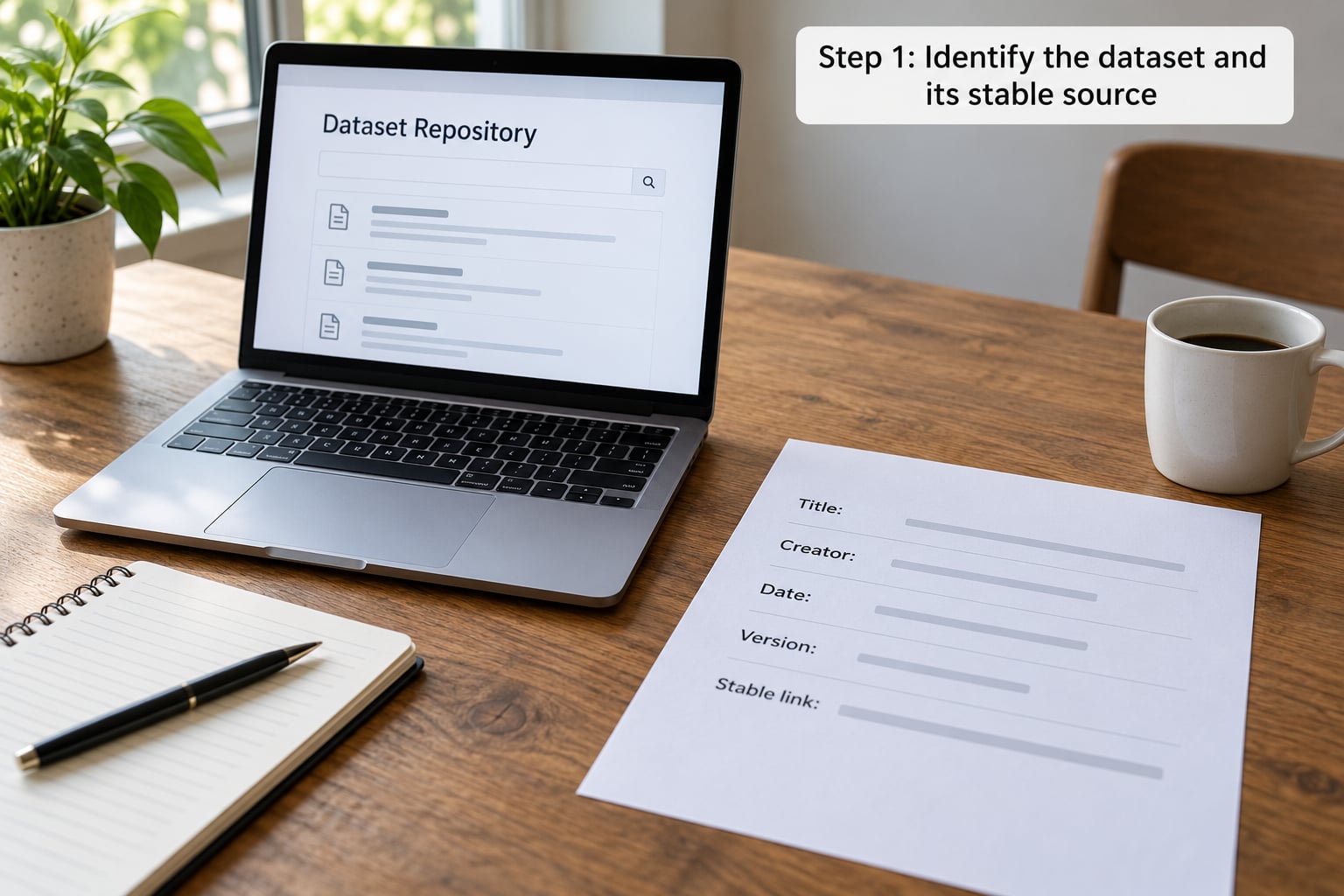
Step 1: Identify the dataset and its stable source
Cite the dataset’s own landing page or repository record, not a search result, a spreadsheet somebody emailed you, or a news article about the data. The repository record is the only place where version, creator and identifier are stated unambiguously.
Five source categories cover almost everything you will publish from, and each has its own landing-page conventions:
- National statistics offices — where a table has a code and a permanent table URL.
- Disciplinary archives — social science, medicine and other subject archives with structured study records.
- General repositories — deposit services that mint a concept DOI and a separate DOI per version.
- Data APIs — international and regional indicator services, where the indicator code is the stable handle.
- Community platforms — dataset hosting sites where the uploader is the author and the platform is the publisher.
On the landing page, look for a Cite, Cite this dataset or Export citation control. Most repositories put a ready-made reference there, and some offer RIS, BibTeX or EndNote XML export. The ICPSR community documents this unusually well: the citation appears in the study description, in the file manifest inside the download bundle, and in a publication list you can add your own work to.
Step 2: Record the creator, date, version, and scope
Distinguish the data producer from the data distributor. If a survey organisation collected the data and an archive hosts it, the organisation is the creator and the archive is the repository. Put the creator in the author position and the archive after the designator, or the credit lands on the wrong party.
Version is where references quietly go wrong. A concept DOI identifies the dataset across all its versions; a version DOI points at one frozen snapshot. If you analysed version 2, cite the version DOI or write the version number in the reference, not the concept DOI, because the concept DOI will resolve to something different once version 3 ships.
When the dataset has no version at all, a live statistical portal or a dashboard, use the code that fixes the extract: the table number, the series identifier, the indicator code. Those are stable even when the surrounding page is rebuilt.
If the portal has been updated since you took your numbers, the honest move is to write the version or release date you worked from and keep a local copy of that snapshot. A PDF of the table you actually used costs you nothing and settles the argument later.
Step 3: Write a readable in-article dataset citation
Most readers of a news story will never see your reference list, so put a short source line where the number appears. The pattern is: who produced the data, what it covers, when you accessed it, and where to find it.
Source: World Bank, Population, total (indicator SP.POP.TOTL), World Development Indicators, accessed 2026.
That sentence carries the attribution, the scope and the stable code. In a graphic or interactive, the same line works as a caption credit.
Two cases need a different treatment. If you took a figure or a chart from someone else’s article or graphic, cite that article as your source — the person who published the chart is your source, not the person who originally collected the data.
If you filtered, subset or transformed the data, reference the full dataset and describe the slice in your methods note:
Own calculation based on [Data set] [citation], filtered to records where the region code begins with 08, covering 2020 to 2026, n = 1,842.
Data you collected yourself is citable too. If it is unpublished, treat it as unpublished raw data, describe the method in your methods note, and say where a copy is held so a reader can request it.
Step 4: Add the full reference in the required style
Name the edition you are following, because most guides online still show superseded patterns. APA 7, MLA 9 and Chicago 17 are current.
APA 7. Creator. (Year). Title (Version) [Data set]. Repository. DOI
World Bank. (2026). Population, total (SP.POP.TOTL) [Data set]. World Development Indicators. https://data.worldbank.org/indicator/SP.POP.TOTL
MLA 9. The dataset is treated as a work inside a container, so the platform takes the publisher slot. MLA 7 and later dropped the Retrieved from prefix, so a DOI or URL stands on its own.
World Bank. “Population, Total (SP.POP.TOTL).” World Development Indicators, 2026, data.worldbank.org/indicator/SP.POP.TOTL. Accessed 2026.
Chicago 17, notes-bibliography. Footnote on first use, then a bibliography entry:
1. World Bank, “Population, Total (SP.POP.TOTL),” World Development Indicators, accessed 2026, https://data.worldbank.org/indicator/SP.POP.TOTL.
Chicago 17, author-date. Parenthetical in text, reference list at the end:
World Bank. 2026. “Population, Total (SP.POP.TOTL).” World Development Indicators. https://data.worldbank.org/indicator/SP.POP.TOTL.
Harvard. The dataset title sits in the author-date position when there is no individual author, and the repository follows the year:
World Bank (2026) Population, total (SP.POP.TOTL). World Development Indicators. Available at: https://data.worldbank.org/indicator/SP.POP.TOTL (Accessed: 2026).
The same source in all four styles, side by side:
| Style | Rendered citation |
|---|---|
| APA 7 | World Bank. (2026). Population, total (SP.POP.TOTL) [Data set]. World Development Indicators. https://data.worldbank.org/indicator/SP.POP.TOTL |
| MLA 9 | World Bank. “Population, Total (SP.POP.TOTL).” World Development Indicators, 2026, data.worldbank.org/indicator/SP.POP.TOTL. Accessed 2026. |
| Chicago 17 (notes) | World Bank, “Population, Total (SP.POP.TOTL),” World Development Indicators, accessed 2026, https://data.worldbank.org/indicator/SP.POP.TOTL. |
| Harvard | World Bank (2026) Population, total (SP.POP.TOTL). World Development Indicators. Available at: https://data.worldbank.org/indicator/SP.POP.TOTL (Accessed: 2026). |
For a general repository record with a DOI, the pattern is the same with the DOI at the end and the version either in the version slot or inside the identifier, for example 10.5281/zenodo.[record id].v2.
If you build references with a manager, none of the mainstream tools has a native dataset type worth trusting, which is why datasets end up cited as web pages. In Zotero, Mendeley and EndNote, set the item type to Dataset if the version supports it, otherwise use a generic entry with the fields mapped and the version typed into the version field, not the title. In LaTeX, biblatex has a dataset entry type and chicago-authordate handles it; BibTeX users fall back on howpublished with a bracketed [Data set] inside. The CrossRef DOI Citation Formatter will convert a bare DOI into any of these styles if you would rather not edit by hand.
Step 5: Verify the citation before publication
Run this before the piece goes out, and it takes less time than fixing a rejected reference later.
- Open the link from the rendered reference. A citation that 404s is worse than no citation.
- Confirm the version in the citation matches the snapshot you used, not the newest one listed.
- Check the creator, not the host. A repository is a distributor.
- Confirm every number in the article traces to a field in that dataset, including the code for a specific table.
- Check that quotations of the data’s own documentation are exact, and that any limitation you describe is a limitation of the data rather than a defect in the source.
- Confirm attribution wording is identical everywhere: title, organisation name and code spelled the same way in the body, the caption and the reference.
- Save the download, the extraction date and your filter settings alongside the draft.
If a portal is decommissioned before publication, cite the archived copy through a web archive service, and say in the note that the original portal has been retired. Depositing the file in a repository gives you a DOI that will outlast the newsroom’s project.
Common Mistakes
Citing the article instead of the data. A news story about a study is a secondary source. Fix: go to the dataset record and cite that, with the news story as the source only if you are reporting what the story says.
Leaving the version out. A reference with no version points at whatever the publisher has now. Fix: add the version number or the version DOI, and for portals, the table or indicator code.
Linking a temporary download page. Session URLs on statistical databases expire and break within hours. Fix: use the permanent table URL, and add an access date if there is no DOI.
Confusing creator with publisher. Putting the archive in the author slot credits the wrong organisation. Fix: creator in the author position, repository after the designator.
Treating a live dashboard as a fixed source. Fix: cite the indicator code and the retrieval date, and archive the extract.
Writing a data limitation as a source defect. Coverage gaps and revision quirks are things to report in your methods note, not accusations against the publisher. Get it wrong and you lose the story; say it accurately and it becomes part of the finding.
Citing your own unpublished data as if it were published. Fix: label it unpublished raw data, describe the collection method, and say where a copy is held.
Frequently Asked Questions
Is a URL required when I cite a dataset?
Only when no DOI exists. If the dataset has a persistent identifier, cite the DOI on its own; a DOI is designed to resolve permanently, so a URL adds nothing and can rot. Many styles still want a URL in place of the DOI when you have no identifier, and APA 7 allows either. For a portal with no DOI, give the deepest permanent table URL you can find rather than the portal homepage, and keep the access date alongside it.
When do I need to include an access date?
Include one whenever you cite a URL, and whenever the source is a live service that can change without a new version number, such as a statistical portal or a dashboard. A DOI usually makes the access date optional, though journals sometimes ask for it anyway. The practical test: could the reader land on different numbers than you saw? If yes, record the date you retrieved it.
How do I cite a dataset that gets updated regularly?
Cite the version or release you actually used, not the living resource. For a repository that mints per-version DOIs, use the version DOI. For a portal with dated releases, write the release date in the date slot and name the release. For a source that is genuinely updated in place with no versions, give the indicator or table code plus the date accessed, and keep a local copy of the extract. In all three cases, say which snapshot your numbers came from.
How do I cite a dataset with no named author?
Use the organisation that produced the data as the author. A corporate author is normal in dataset citations and every major style supports it, so an empty author field with the organisation buried in the title is a mistake. If a platform user uploaded someone else’s data without credit, cite the original producer if the documentation names them, and the platform as the repository. If no producer can be identified at all, say so in the methods note rather than inventing a name.
Should a dataset citation go in the article body or the reference list?
Both, doing different jobs. Put a short source line next to the number, the chart or the interactive so readers see attribution where they meet the claim. Then put the full formatted reference in the reference list or bibliography, because that is what makes the source findable and citable by others. Many journals and funders now also expect a data availability statement naming the datasets used and where they live, which is a third place worth checking your house style for.
How do I cite a dataset in MLA 9 when it has a DOI?
Treat the dataset as a work inside a container. Give the author or organisation, the dataset title in quotation marks, the platform or repository as the container, the publication or update date, then the DOI or URL. MLA 7 and later removed the Retrieved from prefix, so a DOI stands on its own. Put the access date at the end only if the content can change without a new version, and do not add a bracketed Data set label the way APA does.
Conclusion
Start by opening the dataset’s official record rather than the page you found it on. Confirm four things: the creator, the date, the version you actually used, and the stable link. Then write one plain source line next to the number for the reader, and one full reference in your house style for everyone else.