
A duplicate record is a row that repeats values already present in another row, either identical across every column or matching only on the key columns that define uniqueness for your reporting. Handling duplicate records in a dataset is a six-stage job: preserve the raw file, find candidate groups, compare them, classify what each group means, apply a deliberate keep rule, then validate the counts. Method first, tool second — the rules hold in pandas, SQL, Excel, R or Spark.
Most cleanups go wrong in stage four. Someone deletes every row sharing a name, a chart gets published with an inflated denominator, and the raw file has already been overwritten. So the workflow below is deliberately slow at the start and fast at the end.
Table of Contents
- What You Need
- Step-by-Step
- 1. Preserve the raw dataset and define what counts as a duplicate
- 2. Identify likely duplicate groups
- 3. Compare every record in each duplicate group
- 4. Classify each duplicate group by meaning
- 5. Choose and apply the safest treatment
- 6. Validate counts, values, and relationships
- Prevention: stop duplicate records coming back
- How to find near-duplicate records
- Common Mistakes
- Frequently Asked Questions
- Conclusion
What You Need
You need five things before you touch a single row: the raw dataset exactly as downloaded, the field definitions, a stable record identifier, knowledge of the source systems, and a clear statement of what the data is for. The goal matters because the same repeated row is a defect in one analysis and a legitimate event in another.
The raw file is non-negotiable. Duplicate rows are harmless to the original once you have a frozen copy, and expensive to recover without one. Open-data portals in particular: files get overwritten between versions, so keep the download date and URL in the filename.
Field definitions matter as much as the data. A police incident report and a police incident can repeat the same incident legitimately; an event date and a publication date are different fields and people collapse them by accident. If a data dictionary exists, read it before writing a key.
A stable record identifier is the field that stays unique per real-world entity — a source system ID, a document URL, a claim number. If no such field exists, you will build a composite key from a few fields that together identify a record, and you should write down which fields those are.
For tools, a spreadsheet handles files up to roughly a few hundred thousand rows comfortably. Beyond that, Python with pandas 2.x or a SQL database is faster and gives you row counts you can check. The method is identical in both; only the syntax changes.
Step-by-Step
The six-stage workflow below assumes duplicates are a comparison rule, not a row count. Each stage has one job, and each produces something you can show a colleague: a key definition, a group listing, a decision, a row count and a validation note.
1. Preserve the raw dataset and define what counts as a duplicate
Duplication is defined by a comparison you choose, so state that comparison in writing before you run anything. Two rows that share every value are full duplicates. Two rows that share your key fields but differ elsewhere are partial duplicates and need a decision, not a reflex.
Five kinds of repeat show up in newsroom data, and they are not interchangeable:
- Full duplicates — every column matches. Usually an ingest or export bug.
- Shared-key duplicates — the business key repeats but other fields differ, such as two versions of the same claim with different totals.
- Partial duplicates — most fields match on a meaningful subset, such as same person, same date, same amount.
- Repeated events — the record legitimately happens more than once, like a person appearing on two separate incident dates.
- Near-duplicates — the same record written differently, such as “Acme Corp” versus “ACME Corp.”, or “Smith, J” versus “J Smith”.
Duplicate columns are a separate problem from duplicate rows. Two columns with different headers can hold identical values, and in pandas you compare the transposed frame:
cols = df.T.drop_duplicates().T
df = df[cols.columns]
That line removes differently named columns whose contents match exactly, which is occasionally what you want and occasionally destroys a field. Check which columns disappear before you accept the result.
2. Identify likely duplicate groups
Find duplicates by grouping on the key columns, counting how many rows share each key, and listing the groups with a count above one. Choose the key first, then normalize the text columns it uses, because trailing spaces and mixed case stop matches that should happen.
keys = ["last_name", "dob"]

df["email"] = df["email"].str.strip().str.lower()

candidates = df[df.duplicated(subset=keys, keep=False)].sort_values(keys)
print(len(df), "rows before")
print(candidates.groupby(keys).size().head(20))
keep=False is the part people miss. The default keep="first" only marks the copies, so you cannot see the groups. With keep=False every member of a duplicate group is returned, which is what you need for review.
In SQL the equivalent is a count per key:
SELECT last_name, dob, COUNT(*) AS group_size
FROM people
GROUP BY last_name, dob
HAVING COUNT(*) > 1
ORDER BY group_size DESC;
In Excel or Google Sheets, add a helper column with a COUNTIFS over the key columns, then use conditional formatting with a formula rule to flag anything above 1. In Google Sheets, a pivot table on the key columns shows the group sizes without touching the data at all.
=COUNTIFS($A$2:$A$5000,A2,$B$2:$B$5000,B2)
Treat keys built only on name and date as weak. Names are shared, dates are often recorded to the day, and two different people collide easily. ServiceNow community threads about duplicate rows in database views are a good reminder that duplicates often come from join fan-out rather than bad input, so check your join keys before blaming the source table.
3. Compare every record in each duplicate group
Once you have the candidate groups, compare them field by field and read the differences: which fields disagree, which are null in one copy but filled in the other, which timestamp is later, and which copy carries the source identifier you trust. Sorting each group by the fields that differ makes the conflict obvious in seconds.
cols = ["source_id", "amount", "updated_at", "status"]
print(candidates[keys + cols].to_string())
Sort by the fields that differ rather than by a timestamp alone. Two records with different amounts are a real decision; two records that differ only by a load timestamp are usually the same row appended twice, and the newest one is the safe survivor.
Watch for nulls, because a blank is not the same as a zero. If one copy has a missing amount and the other has 250, dropping the blank copy loses information and dropping the filled copy invents one. Note which direction each gap runs.
Here is the detection one-liner for the four tools you are most likely to use:
| Tool | Find groups | Count how many are affected |
|---|---|---|
| pandas | df[df.duplicated(subset=keys, keep=False)] | df.duplicated(subset=keys).sum() |
| SQL | GROUP BY keys HAVING COUNT(*) > 1 | SUM(CASE WHEN c > 1 THEN c - 1 ELSE 0 END) from the grouped count |
| Excel / Sheets | COUNTIFS helper column plus conditional formatting | COUNTIF over the flagged column |
| R (dplyr) | df %>% add_count(!!!keys) %>% filter(n > 1) | nrow(filter(count_groups, n > 1)) |
| Spark | df.groupBy(keys).count().filter("count > 1") | df.count() - df.dropDuplicates(keys).count() |
On large files, move the work to the database or read in chunks. A 4 GB CSV will not fit comfortably in memory on a laptop, and pandas will either stall or die. DuckDB, a warehouse, or reading with a chunk loop keeps the machine responsive, and doing the grouping in the database is faster than shipping every row to Python.
4. Classify each duplicate group by meaning
Classify every group into one of four buckets before deciding anything: exact duplicates to remove, conflicting duplicates to resolve, legitimate repeated events to keep, or uncertain matches to send to a person. The buckets are what stop a blanket delete from removing real reporting.
Exact duplicates — every column matches. Remove, no questions asked, and log the count.
Conflicting duplicates — the key repeats but a value disagrees. Republished versions of the same council document, or an election result uploaded twice with a later corrected total, belong here. Resolve from the source of truth, not from the file order.
Legitimate repeated events — one person, one address, one account appearing many times because the event really happened many times. A defendant charged in five separate cases, a hospital with multiple visits on one date, a business with several permits. Keep them.
Uncertain matches — near-duplicates where automated comparison cannot decide. Two people with the same name and birthdate, a company recorded once as “Acme Holdings Ltd” and once as “Acme Holdings Limited”. A reporter or subject expert resolves these faster than any threshold you pick.
Elastic forum threads about duplicate documents arriving through ingestion describe the same pressure from the other direction: near-duplicate matching needs a fingerprint, and the fingerprint has to be stable across cosmetic changes.
5. Choose and apply the safest treatment
Match the treatment to the classification. There are five safe options, and each one needs a different justification: keep one record, merge fields into a survivor, keep both and flag the reason, quarantine for later review, or exclude the group from this analysis only.
Here is how the keep rules compare:
| Keep rule | Use it when | Risk |
|---|---|---|
| Keep first occurrence | The file is append-only and earlier rows are the originals | Keeps stale values; ignores later corrections |
| Keep last occurrence | Rows are appended and later copies are corrected versions | Hides what changed; breaks if order is not guaranteed |
| Keep most recent by timestamp | A reliable update time exists per record | Timestamp quality varies; timezone mix-ups reorder rows |
| Keep most complete row | One copy has more populated fields | Completeness is not the same as correctness |
| Merge fields | Each copy holds some unique information worth keeping | Needs a field-level rule or you invent values |
Row order must never pick the survivor. drop_duplicates() without an explicit sort is decided by whatever order the file happened to load in, and one Stack Overflow question describes the result: 10,904 rows removed leaving 196 after a key combination was mis-specified. Sort deliberately, then choose.
To keep the most complete row, score each row by how many fields are populated, sort by that score, and then drop the rest:
keys = ["last_name", "dob"]
df["filled"] = df.notna().sum(axis=1)

df = df.sort_values(keys + ["filled"], ascending=[True] * len(keys) + [False])
clean = df.drop_duplicates(subset=keys, keep="first")
print(len(df) - len(clean), "rows removed")
To merge instead of discard, take the first non-null value per field within each key group, and review which fields actually combine rather than conflict:
merged = df.groupby(keys, as_index=False).agg(
    lambda s: s.dropna().iloc[0] if s.notna().any() else None
)
Preview before you delete. Quarantine the whole group, write the survivor to the clean file, and keep the quarantine as its own file so a mistake is a one-line reload rather than a re-download:
quarantine = df[df.duplicated(subset=keys, keep=False)]
dropped = df.drop_duplicates(subset=keys, keep="first")

print("rows before:", len(df))
print("rows after:", len(dropped))
print("rows removed:", len(df) - len(dropped))

dropped.to_csv("clean.csv", index=False)
quarantine.to_csv("quarantine.csv", index=False)
In SQL, the same decision reads clearly as a numbered window:
WITH ranked AS (
  SELECT *, ROW_NUMBER() OVER (
    PARTITION BY last_name, dob ORDER BY updated_at DESC
  ) AS rn
  FROM people
)
DELETE FROM ranked WHERE rn > 1;
In R the same thing is dplyr::distinct(people, last_name, dob, .keep_all = TRUE), and in Spark it is df.dropDuplicates(subset=["last_name","dob"]). Excel users get the same result from Data, Remove Duplicates, where the “Only keep unique records” checkbox controls whether the comparison covers every column or only the ones you selected.
Power Query is worth the detour for repeated work. Select the key columns, use Remove Duplicates, and if you want a reason column, Group By on the key with the operation “All Rows” so each group carries a list of its members. That flag survives into the output and shows up in the audit.
6. Validate counts, values, and relationships
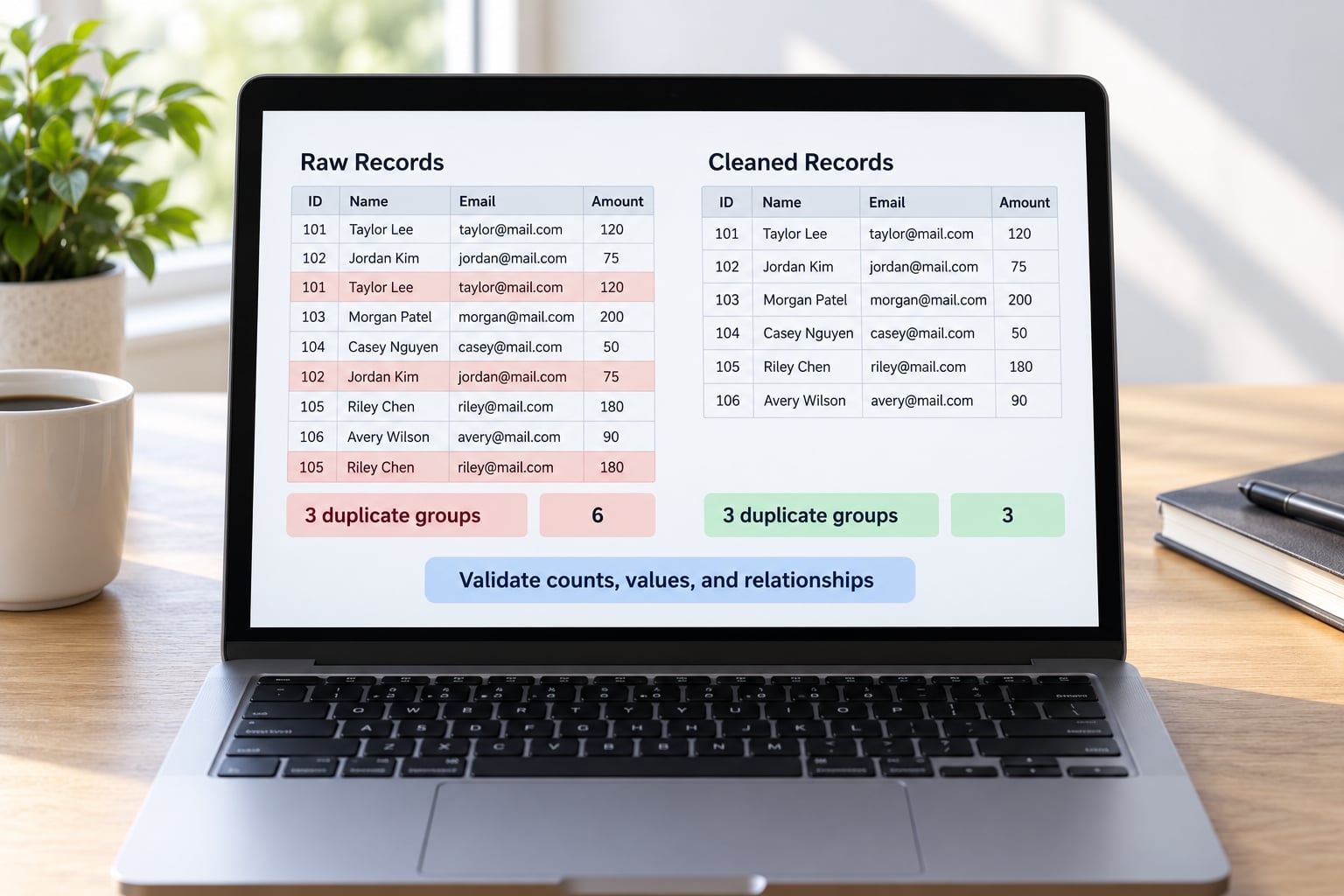
Validate before publishing anything: compare row counts before and after, confirm no key appears twice in the cleaned file, check that no non-null value disappeared, and re-run the totals your story depends on. Any number that moved without a recorded reason is a bug until proven otherwise.
print("remaining key duplicates:", clean.duplicated(subset=keys).sum())
print("rows before:", len(df), "rows after:", len(clean))
print(clean[keys].nunique().to_dict(), "unique values per key column")
print(clean["amount"].sum(), "vs raw", df["amount"].sum())
Count the loss per key column, not just the row count. If a field went from 900 populated values to 880, either those 20 rows were duplicates by your rule or you removed real data. The sum comparison is the one that catches a published number quietly changing.
Spot-check by hand. Open five duplicate groups from the raw file and confirm the survivor is the record your source says is correct. Then check downstream relationships: joins that returned more rows than expected, unique constraints that now pass, and totals for any chart you plan to publish.
The people-also-ask question “how do I know if my dedup removed too many rows” has a simple answer: you cannot know from the output alone, only from the before-and-after counts and a spot check against source records. Do both.
Prevention: stop duplicate records coming back
Prevention is cheaper than cleanup. Add a unique constraint on the business key in the database, make the load idempotent so re-running it changes nothing, and test the result on every run.
ALTER TABLE people ADD CONSTRAINT uq_person UNIQUE (last_name, dob);

CREATE TABLE people_dedup AS
SELECT * FROM (
  SELECT *, ROW_NUMBER() OVER (
    PARTITION BY last_name, dob ORDER BY updated_at DESC
  ) AS rn
  FROM people
) WHERE rn = 1;
For recurring loads, upserts beat delete-then-insert. PostgreSQL, SQL Server and most modern engines support MERGE, and lakehouse table formats such as Iceberg, Delta and Hudi handle upserts natively. An r/dataengineering poll on lakehouse architecture showed the field split three ways — forbid duplicates in the architecture, upsert at write time, or deduplicate at query time — so pick one deliberately for your stack rather than inheriting whichever pattern you copied last.
If you decide to deduplicate at query time instead, keep it visible in the model and never let it hide a growing duplicate rate. A model with a dedup step nobody reads will eventually publish a number that assumes perfect source data.
How to find near-duplicate records
Near-duplicate detection compares strings that should match but do not. The workable method is blocking followed by comparison: restrict the search to plausible candidates, then measure similarity rather than equality. Comparing every pair in a large table is quadratic and will not finish.
import pandas as pd
from difflib import SequenceMatcher

def norm(s):
    return " ".join(str(s).lower().split())

df["name_key"] = df["name"].map(norm)

block = df[df["name_key"].str.len().between(3, 60)]
block = block[block["city"].eq("Rotterdam")]   # blocking key

names = block["name_key"].tolist()
pairs = [(i, j) for i in range(len(names))
                 for j in range(i + 1, len(names))
                 if SequenceMatcher(None, names[i], names[j]).ratio() > 0.92]
Pick the threshold on a sample you have already labelled, not by feel. At 0.92 in the example above, spelling variants merge and genuinely different companies stay apart; lower it and you start merging real businesses. For bigger volumes, record linkage packages such as recordlinkage handle blocking, comparison and clustering in one pass.
Common Mistakes
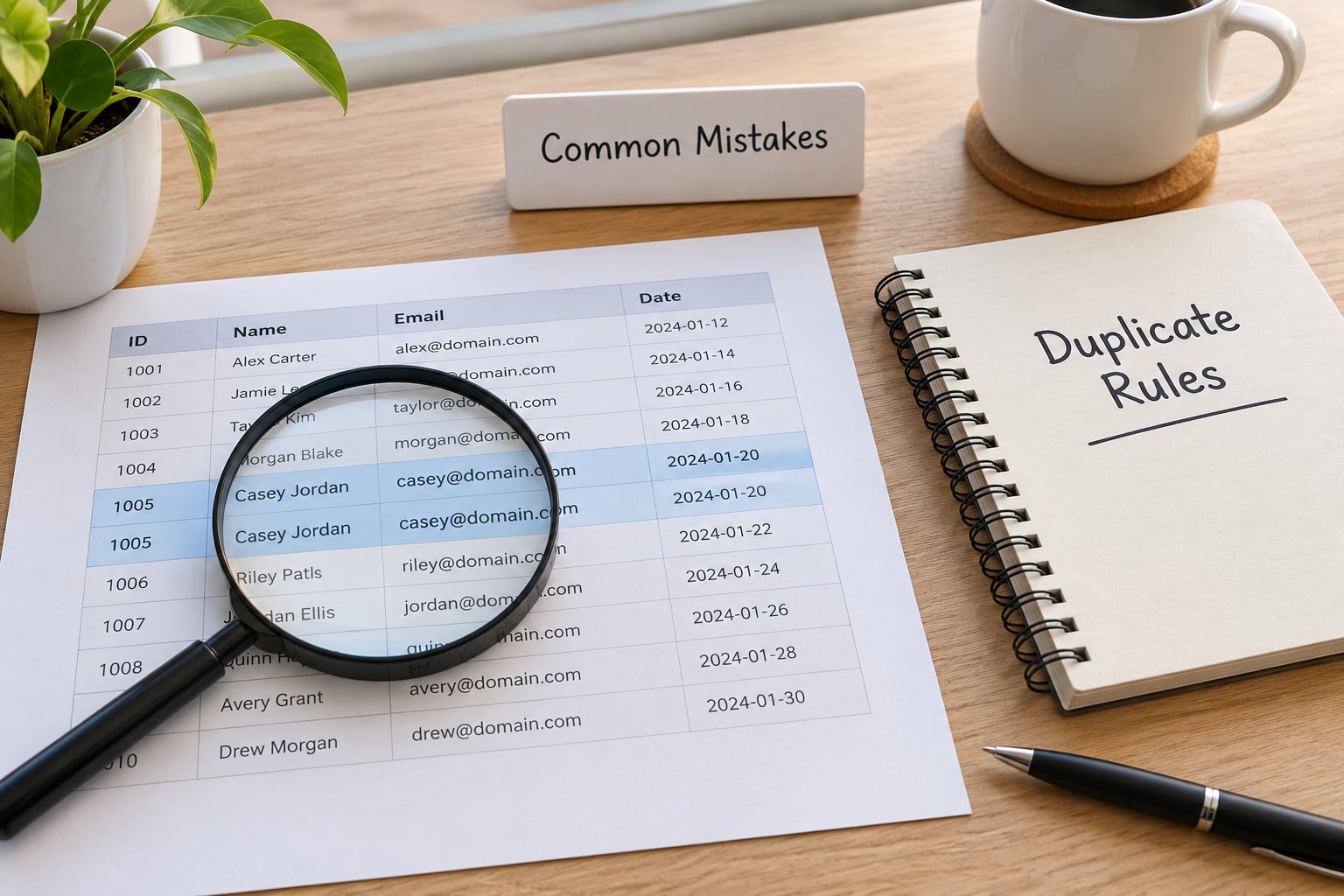
Nearly every bad cleanup comes from one of seven habits. Each has a straightforward fix, and the fix is usually a rule you write down before you edit anything.
Deleting by row position. If your survivor choice depends on row order, the result changes when the file reloads in a different order. Sort explicitly by a field that means something, then keep first or last on purpose.
Treating every repeated name as a duplicate. Names are not identifiers. Two “Maria Garcia” entries with different birthdates or case numbers are two people, and deleting one silently changes a count you published. Use a composite key or a source ID.
Removing legitimate repeated events. Repeated appearances in a dataset are sometimes the story itself — the same address appearing on several permit records, the same defendant charged repeatedly. Classify before you delete.
Merging without field-level rules. A blanket merge takes whatever sits first in each column and can produce a record that never existed. Decide per field whether the newest value wins, the non-null value wins, or a person decides.
Overwriting the source data. The file you downloaded is the only copy of what the publisher actually released. Write cleaned output to a new path every time.
Assuming the latest row is correct. A later timestamp means the record was updated, not that it was updated correctly. Spot-check a few against the source.
Comparing messy text. Emails and names differ by case, trailing spaces and full stops, so exact matching misses real duplicates and finds none of them. Normalize before you compare, and keep the raw column next to the normalized one.
One trap deserves its own mention: Python set() and SQL SELECT DISTINCT collapse duplicates silently, with no row count and no record of what went. That is convenient for a list of unique tags and wrong for record-level data, because you lose every field except the ones you selected. Use them for lookup sets, never for the cleanup itself.
Four habits prevent most of this. Document the key and the keep rule in the same sentence. Keep an audit file listing every group you removed and why. Test the whole routine on a copy before the real file. And when matching is uncertain, ask the reporter who knows the beat — a name and a date resolve faster with a person than with another threshold.
Frequently Asked Questions
Is every row with the same name a duplicate?
No. A name is a label, not an identifier, so identical names often belong to different people. Use a source system ID, or a composite key such as name plus birthdate or name plus case number, and confirm how many of those groups are real collisions before deleting anything. Two different sources can also spell the same name differently, which is a near-duplicate problem rather than a duplicate problem.
How do I remove duplicates without losing valid events?
Classify each group before you touch it: exact duplicates, conflicting duplicates, legitimate repeated events, or uncertain matches. Only exact duplicates should be removed without a human decision. Repeated events, such as the same person appearing on several incident dates, stay in the dataset because the repetition is real. Quarantine every group you remove so you can restore it, and record the reason beside each one.
What should I do when duplicate records contain conflicting values?
Treat them as conflicting duplicates and resolve from the source of truth, never from row order. Rank the rows with ROW_NUMBER() or sort explicitly by the field that differs, so the survivor is chosen on purpose. When each copy holds a different useful field, merge by taking the first non-null value per field instead of discarding rows, and log which fields were combined so the decision can be reviewed later.
Can I just remove a duplicate ID and keep one row?
Only if that ID is a true unique key. If the same ID appears on several rows because of a join fan-out or a bad load, deleting by ID removes data that belongs to other tables. Check whether the ID repeats across rows first, and remember that identical values in a Python set or a SQL DISTINCT query collapse rows with no record of what was dropped, so keep the audit trail somewhere visible.
When should duplicate records be reviewed manually?
Review by hand whenever the key is weak, the values conflict, or the match depends on fuzzy string comparison. Name collisions, republished documents with corrected figures, and near-duplicates written differently all fall here. A good rule is that anything you would hesitate to explain to a reader gets a human decision. Quarantine those groups, keep the raw file, and ask the reporter who knows the beat to resolve the rest.
Conclusion
Handling duplicate records in a dataset is a sequence of decisions, and the deletions come last. Freeze the raw file, write down the key and the keep rule, classify each group by what it means, then apply the treatment and check the before-and-after counts against the numbers you plan to publish.
Start small: preserve the raw data, define what counts as a duplicate for your reporting, and open one duplicate group in full before you change anything. The first group usually teaches you more about your source than a week of reading the documentation.