How to set up alerts for beat reporting in six moves: write down your beat and its recurring story types, build one precise search alert per story type, subscribe to the primary sources search engines never index, route every hit into one triage inbox, and review it on a fixed daily and weekly rhythm while pruning anything that keeps returning junk. Set aside about two hours the first time, then twenty minutes a week to keep it clean.
Updated October 2026. Google moves its own interfaces around, so work from the current Alerts dashboard rather than a screenshot you find in an old tutorial.
A beat is the topic area you cover on a continuing basis: city hall, courts, a regulatory agency, housing, a company or an industry. A beat only pays off if you find the story before someone else writes it, and that comes down to whether you saw the council vote on Tuesday night or read about it the following Friday.
Alerts are how you see it on Tuesday night. Here is the whole setup in six lines, and the sections below take each one apart.
- Map the beat: institutions, people, document types, and the words that signal a real development.
- Build one search alert per story type, using quotation marks, OR and minus operators.
- Subscribe to the official feeds the search engines never index: agendas, dockets, press rooms, filings.
- Add newsletters and specialist trade coverage to the same reader.
- Route every hit into one triage inbox with a status for each item.
- Review daily, audit weekly, and cancel anything that produced nothing useful twice.
Table of Contents
- What You Need
- Step-by-Step: How to Set Up Alerts for Beat Reporting
- Common Mistakes and How to Fix Them
- Frequently Asked Questions
- What is the best free tool for setting up alerts for beat reporting?
- Should reporters use Google Alerts, RSS feeds, or both?
- How do I create Google Alerts without getting too many notifications?
- What should a reporter monitor when covering a public agency or company?
- How often should a beat-reporting alert system be reviewed?
- Can alerts replace checking official websites and public records?
What You Need
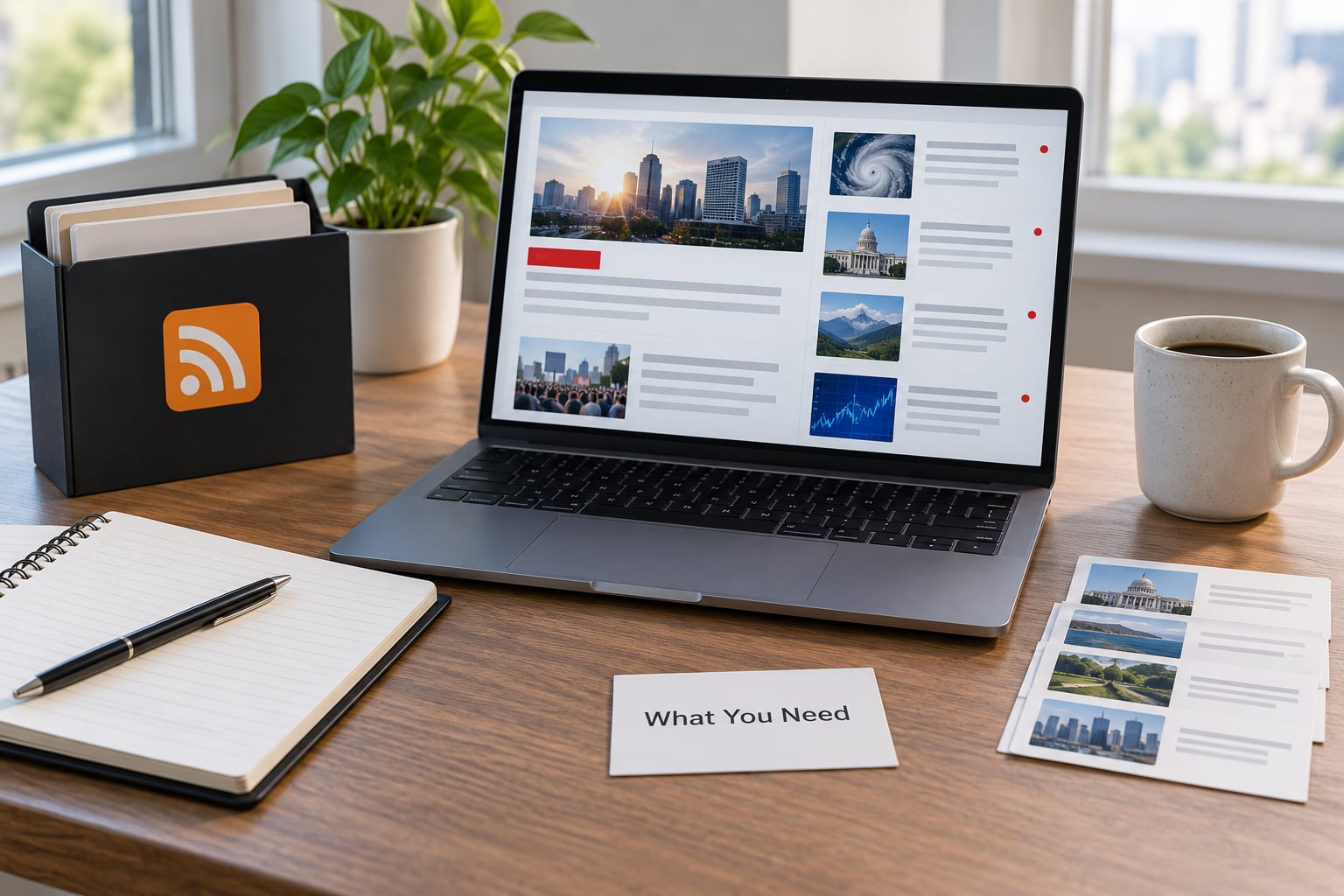
You need four things, and only the first one costs money: some form of search alerting, an RSS reader, a written map of your beat, and somewhere for the hits to land. Editorial judgment is the fifth thing, and it is the one people skip.
The distinction that matters is that alerts are automated monitoring, not reporting. A search alert tells you a document exists. Reading it, deciding whether it matters, and finding a person who will talk about it is still your job.
The tools worth knowing
| Tool | Cost | Best used for | Noise level | Setup time |
|---|---|---|---|---|
| Google Alerts | Free | Broad keyword sweeps and anything that gets indexed | High without tuning | 15 minutes |
| Google News alerts | Free | Coverage of stories that name your beat in the text | Medium | 5 minutes |
| Lumen by Talkwalker | Free tier, paid upgrades | Brand and company mentions, social sources included | Low to medium | 20 minutes |
| Mention | Free trial, paid seats | Watching an organization across web and social | Medium; quality varies | 20 minutes |
| Feedly AI Feeds | Free tier, paid tiers | Keyword-filtered streams from a huge catalogue of outlets | Low once keywords are set | 40 minutes |
| Inoreader | Free trial, paid tiers | Shared team boards and rules-based filtering | Low | 40 minutes |
| FreshRSS or Tiny Tiny RSS | Free, self-hosted | A private reader you control, no vendor limits | Depends on your filters | An evening |
| ChangeDetection.io | Free tier, paid tiers | Watching a specific web page for a text or layout change | Very low | 10 minutes |
| Blogtrottr | Free tier, paid tiers | Email-only monitoring for people who refuse a reader | Medium | 10 minutes |
Pick two, not nine. The most common setup failure I see is a reporter subscribing to six overlapping services and then reading none of them.
A written beat map
Open a document and list the institutions you cover, the people who run them, the document types that move on your beat (agendas, filings, dockets, inspection reports, contract awards), and the neighborhoods or districts you care about. This is the document you will consult every time you add an alert.
It takes twenty minutes and it is the difference between a monitoring system and a pile of subscriptions. Without it, you will re-alert the same topic under three different phrasings in your third week.
Somewhere for hits to land
Pick one inbox, one shared mail folder, or one team board, and send everything there from day one. If alerts land in three places you will read the busiest one and forget the other two.
Step-by-Step: How to Set Up Alerts for Beat Reporting
A workable system has six parts, in this order: define the beat, build search alerts, subscribe to official feeds, add document monitoring, set up triage, then measure and prune. Work through them once and you have a repeatable routine rather than a one-time setup.
1. Define your beat, sources, and alert terms
Start by turning a broad assignment into a list of story types. “Local government” is not monitorable. “Council votes on zoning applications,” “budget amendments in the county commission,” and “school board contracts over a stated threshold” are three alerts you can actually build.
For each story type, write down the words that usually appear in a genuine document: agenda item numbers, the formal name of the agency, the docket prefix, the permit type, the trade publication that covers the sector. Write down the words that never indicate a story, too. Those go in your exclusion list later.
Then map each story type to where it shows up first.
| Beat | Where it surfaces first | Alert type that catches it |
|---|---|---|
| Courts and dockets | Court docket pages, clerk filings | Page-change monitor plus a name-based search alert |
| City hall and county | Clerk portals, agenda PDFs, minutes | RSS from the clerk, agenda page monitor |
| Regulatory agencies | Press rooms, rulemaking dockets, comment portals | Newsletter plus agency search alert |
| Business and filings | Corporate filings, investor relations, procurement portals | Company name alert with legal-document exclusions |
| Housing | Planning cases, code cases, permit portals, inspection notices | Agency feed plus address or case-number alert |
| Science and health | Preprint servers, trial registries, advisory notices | Feed subscription with keyword filters |
| Crime and courts | Police blotter pages, court calendars, release feeds | Blotter page monitor plus booking-name alert |
| Sports | League sites, transaction feeds, roster news | Outlet feeds filtered to your teams |
Expect to end up watching strings rather than topics, and decide now whether those strings are words, names, places or numbers. A beat map built on address lists, case numbers and agency codes tends to produce quieter, sharper alerts than one built on subject words.
2. Build a reliable Google Alerts routine for beat reporting
Go to Google Alerts and create one alert per story type rather than one alert per beat. A single alert for “housing” gives you thousands of hits a day; an alert for a specific agency plus a document type gives you maybe three a week, and those three are usually real.
Before you click Create alert, click Show options. That panel holds everything that matters: how often alerts arrive, which results trigger them, language and region filters, and how many items you get per email. Set frequency to At most once a day for anything routine and Once a week for background sweeps.
Use quotes for phrases, OR for alternatives, and a minus sign to block junk. These are the operators that do the actual work.
"exact phrase"restricts the alert to that wording. Use it for document titles and formal project names.ORcombines alternatives:"planning commission" OR "zoning board".-removes terms:"council vote" -sports -footballkills the sports pages that share the word “vote”.site:narrows to one domain, which is how you watch a specific agency or outlet.intitle:catches a keyword in the headline only, a cheap way to cut noise from body-text mentions.
Set results to Only the best results for high-volume queries, and to All results when you would rather miss nothing on a slow-moving beat. Results-only is too blunt for a narrow agency name; it will quietly drop real items.
Name each alert for its story type, not its keyword. A name like “BLM Air Quality Rulemaking” tells you what to do with the email at a glance; “air quality” tells you nothing six months from now.
Google News alerts sit alongside these in the same dashboard and are often the better fit for a beat. They fire on articles in news publishers rather than on every web page, and they cover non-English outlets if you set the language filter deliberately. Use News alerts for coverage tracking and Google Alerts for documents and announcements.
| Query | What it catches | Known false positives |
|---|---|---|
"planning commission" "agenda" county | Agenda postings for a named commission | Meeting-recap blog posts |
"notice of violation" -rental -hoarding | Enforcement notices on your beat | Real estate listings |
"advisory committee" OR "public comment" site:state.gov | Consultation notices on one domain | Archived documents years old |
"competitive bid" OR "request for proposal" "city of" | Procurement notices | Awards copied to news sites |
"data breach" OR "unauthorized access" "company name" | Security disclosures naming a beat company | Unrelated CVs and how-to guides |
"preprint" "topic" site:biorxiv.org | New preprints on a science beat | Almost none |
Copy those, change them for your beat, and test before you trust them. One alert per story type is the right unit; more than fifteen active alerts on a single reporter is not sustainable.
3. Add RSS feeds and newsletters
Search alerts only see what search engines index. Official press rooms, clerk portals and most small agency sites publish to RSS and to mailing lists and to nothing else, so this is the half of the system that covers what you are assigned to cover.
Most sites hide the feed behind a link that says RSS in the footer, or at a path ending in /feed, /rss or /feed.xml. If neither works, tools like ChangeDetection.io will watch the page and email you when a specific string appears on it, which handles agenda pages that have no feed at all.
Subscribe in this order: your primary institutions first, then the specialist trade publications for your sector, then the newsletters your sources actually read. A council clerk’s weekly digest beats a hundred news alerts, because it is written by the people who did the thing.
Organise the reader so the sources you cannot afford to miss sit in their own folder, above everything else. Feedly and Inoreader both let you build a keyword-filtered stream and put the results on a board you can share with an editor; other readers do the same thing with folders. The point is separation, not the specific tool.
4. Add monitoring for documents, data, and public records
Records coverage breaks when a reporter relies on search alerts alone, because filings and agenda items are frequently published as PDFs that search engines barely parse. This layer is manual at first, then cheap.
Start with the places documents actually land: meeting agendas and minutes, docket listings, contract and procurement portals, inspection and permit records, open-data portals, and the comment sections on draft rules. Bookmark each one and decide which of them publishes a feed, which needs a page monitor, and which you simply have to check on a schedule.
Then set the alerts that support those documents. A change-detection watch on your council agenda page with the string “Public Hearing” is more reliable than any keyword alert, because it fires on the real thing rather than on coverage of it. An alert on a named case number or project name does the same for filings.
If you file records requests, give the request a reference number and search that number so the response lands in the same stream as everything else. Otherwise agency replies vanish into a separate mailbox and you re-request material you already have.
5. Create a triage inbox and response workflow
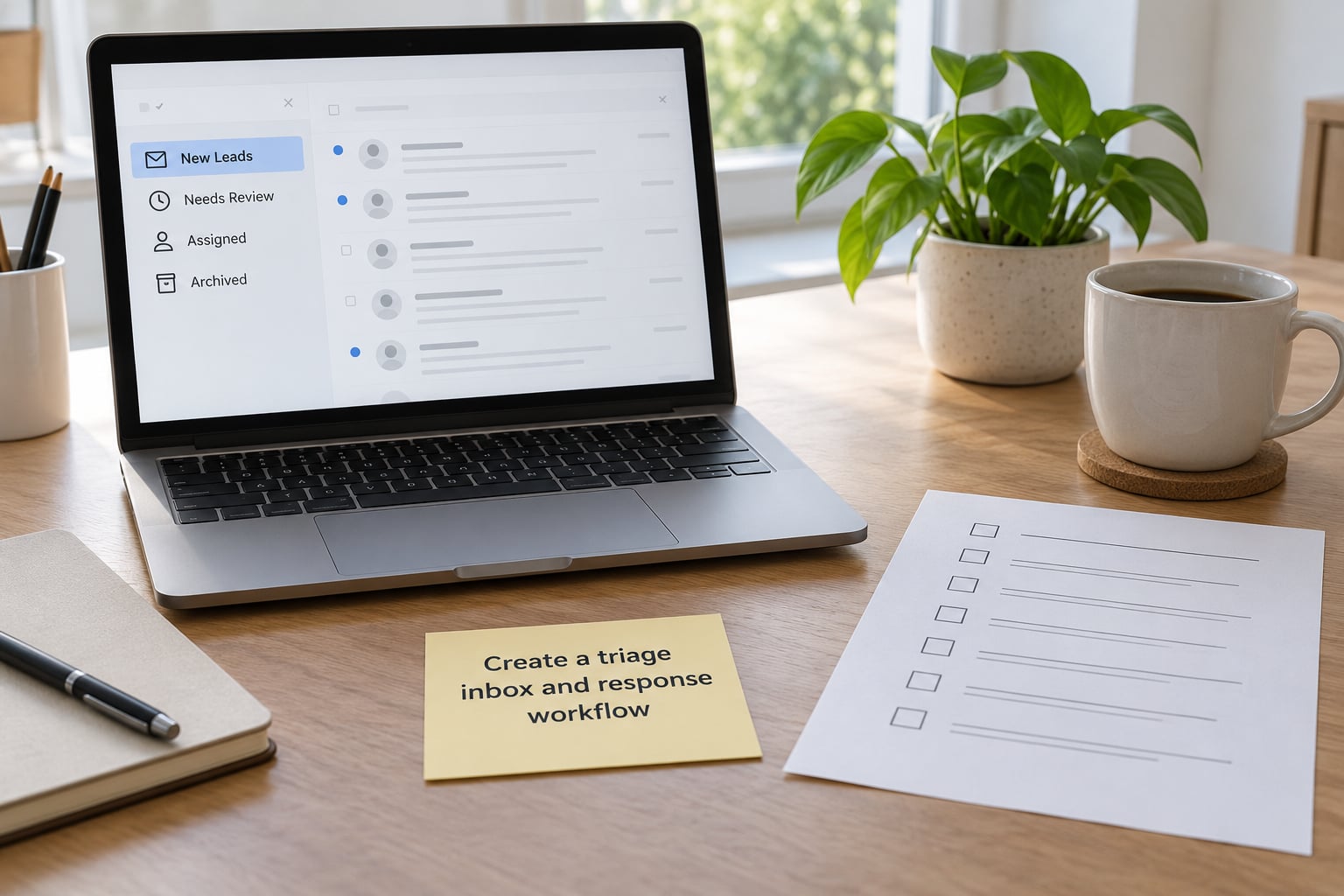
Everything above is wasted without a place where hits are judged. Route all alerts to one address or into one shared team folder, then give each item a status the whole desk can see.
- New Leads. Everything arrives here, untouched.
- Needs Review. Someone has looked and not decided. Most items should end here, quickly.
- Assigned. It has a reporter and a deadline.
- Archived. Genuinely nothing, with the reason noted so you do not re-read it next month.
Record the source URL and the date alongside each kept item. When an editor asks six weeks later why you did not have a story about an agency decision, the answer is a link in the folder rather than a shrug.
Separate a promising lead from a confirmed development, and do it in writing. An alert is evidence that a document was published. It is not evidence of what the document says, and it is not a source.
6. Test the system and measure usefulness
Spend a week testing before you trust anything. Pick five stories your beat covered in the past month and check whether any alert caught them. Then pick five that appeared only in a competitor’s coverage and check whether your system should have seen them.
Both lists teach you something. The first shows which sources are not wired in yet; the second shows which alerts are too broad to be useful.
Three numbers are worth tracking weekly: the share of hits that became a pitch, a story, or a source contact; how long a genuinely useful hit took you to notice; and how many important sources on your beat map still have no alert or feed. A system that fires forty times a day and produces one story a month is not a system, it is a subscription.
Make the review a habit, not an intention. Fifteen minutes on a fixed morning, a short note on what changed, and anything that has failed twice gets cancelled or rewritten.
Common Mistakes and How to Fix Them
Most alert systems fail for the same handful of reasons, and every one of them is cheap to fix.
- One giant alert per beat. Split it into one alert per story type. Volume falls by an order of magnitude and the useful hits get read.
- No exclusion terms. Add a minus word for every false positive that annoyed you this week. This is the highest-return five minutes in the whole setup.
- Building only on search engines. Add primary-source feeds and page monitors. Search engines lag official announcements by hours or days, and often miss them entirely.
- Ignoring the newsletter the beat actually reads. Subscribe to the sector trade press and the agency digests. Practitioners rate aggregators higher than search alerts for topic tracking, and they are right.
- Duplicate coverage across the desk. Put alerts in a shared team board so two reporters are not chasing the same document. Shared alerts, one triage folder.
- Treating an unverified tip as a lead. Verify before you spend time on it. Alert hits increasingly include automated content and recycled press releases, and a reporter who chases one looks slow in a good way.
- Never reviewing. Put the review in the calendar with a name against it. An unread alert system is the same as no system.
- Trusting one vendor. If a single tool goes quiet or starts missing results, you need a second source for your most important beat. Nobody’s service is dependable enough to be your only ear.
The noise complaint that shows up most often in practitioner discussion is precision, not volume: people want fewer, better hits. A widely reported example is a ham radio user “blasted with callsign results” because the acronym matched unrelated text everywhere on the web. The fix is the same one a reporter needs: use the full name in quotes, add exclusions, and set the alert to results-only when the term is genuinely ambiguous.
Paid tools have the same problem. One marketing forum reviewer testing a paid mention service described the product as inconsistent and therefore unreliable. Whether or not that matches your experience, the practical lesson holds: keep a free fallback running alongside anything you pay for.
Three habits keep a system alive: a fifteen-minute weekly review, a monthly pass over your beat map to check for sources you have not wired in yet, and a quarterly sweep that cancels every alert that has produced nothing useful in ninety days.
Frequently Asked Questions
What is the best free tool for setting up alerts for beat reporting?
For most beats, Google Alerts plus Feedly or FreshRSS is the free combination that covers most ground. Search alerts catch indexed documents and announcements; the RSS reader catches official press rooms and agency feeds that search engines never index. Google News alerts are worth adding for coverage tracking. If your beat is documents rather than articles, add ChangeDetection.io on the key pages, because agenda and docket listings usually have no feed at all.
Should reporters use Google Alerts, RSS feeds, or both?
Both, and for different reasons. Search alerts are fast and wide: they find anything a search engine has indexed, including a document someone uploaded without linking from anywhere. Feeds are narrow and reliable: the source publishes them, so you get the item the moment it appears, with no indexing delay and far less noise. Reporters who rely on only one of the two regularly miss primary-source material.
How do I create Google Alerts without getting too many notifications?
Create one alert per story type instead of one per beat, wrap names and document titles in quotation marks, add a minus sign for every term that produces junk, and switch frequency to at most once a day for routine sweeps. Use weekly digests for background topics. If the wording is genuinely ambiguous, results-only mode cuts the volume sharply, though it can drop real items, so use it on broad queries rather than specific agency names.
What should a reporter monitor when covering a public agency or company?
For a public agency, watch the press room feed, the agenda and minutes pages, the public comment and rulemaking portals, the procurement or contract listings, and the board or commission packet uploads. For a company, watch regulatory filings, the investor relations newsroom, subsidiary names as well as the parent, and any named product lines. In both cases, set a page-change monitor on the pages that publish no feed at all.
How often should a beat-reporting alert system be reviewed?
Review hits daily in a short triage pass, ideally at the same time each morning, and audit the system itself once a week for about fifteen minutes. The weekly audit covers four things: anything that produced a story, anything that was noise, any source on your beat map with no alert or feed yet, and any alert that has now failed twice and should be rewritten or cancelled. A monthly pass catches agencies that changed their websites.
Can alerts replace checking official websites and public records?
No. Alerts are a trigger, not a source. They tell you that something was published, and they only tell you if a search engine or a page monitor noticed it, which is not guaranteed for documents uploaded without links. An alert is also not verification: confirm what the document actually says, get it from the issuing body, and treat unverified tips from any channel as unverified. Keep the scheduled check on the key official pages.
If you do one thing this week, write the beat map. Twenty minutes listing the institutions, document types and words that signal a real development on your beat, then build a single precise alert for the story type you most often miss. Add the official feeds and the triage inbox once the first alert is quiet enough that you actually read it.
Monitoring only pays when someone on the desk turns the early signal into a story. An alert nobody reviews is just a faster way to feel busy, and the beat belongs to whoever found the document first.