API documentation is the manual that ships with an API: it lists every endpoint, the parameters each one accepts, the authentication it needs, and the responses it returns. You never read it front to back. You read it in a fixed order — quickstart, then the guide for your task, then the reference page for the single endpoint you actually need — and you confirm every part by sending a real request.
Most beginners get stuck at the front door. A vendor documentation site opens as a wall of sidebars, and it feels like a reading assignment. In practice a first successful call takes about ten minutes if you know which three things to look for.
So if you want to know how to read API documentation as a beginner without drowning, work through the seven steps below in order. They work the same on a tiny public API and on a sprawling cloud platform.
Table of Contents
- What You Need
- Step-by-Step: How to Read API Documentation with Confidence
- 1. Start with the API overview to learn what you are dealing with
- 2. Find the endpoint that matches your goal
- 3. Decode the parameters before you send anything
- 4. Understand authentication and request headers separately
- 5. Read the request example, because it is the fastest route
- 6. Interpret the response instead of staring at it
- 7. Test, troubleshoot and document what worked
- Common Mistakes
- Frequently Asked Questions
- What is the easiest way to learn how to read API documentation as a beginner?
- Do I need programming experience to understand API documentation?
- Do I have to read the whole API documentation?
- How do I know which endpoint and HTTP method to use?
- Why does my API request fail even when I copied the example?
- How do I read a JSON response without getting confused?
- Conclusion: Make Your First Test Request
What You Need
Four things, and three of them are free or free-tier:
- A beginner-friendly API to practise on. Open-Meteo (weather, no key required for the basic endpoints) and JSONPlaceholder (fake blog posts) are both good because they return data immediately.
- An API client. Postman or Insomnia. Both let you paste a URL, add a header, hit send, and see the raw response without writing code.
- A text editor. Notepad is enough. You will keep a scratch file with the working request and your own notes.
- The API version number. Check the docs sidebar or URL. Most APIs publish several versions at once, and the example you copy from an older version will fail.
You do not need programming experience for any of this, and no paid plan is required for the examples below.
Step-by-Step: How to Read API Documentation with Confidence
1. Start with the API overview to learn what you are dealing with
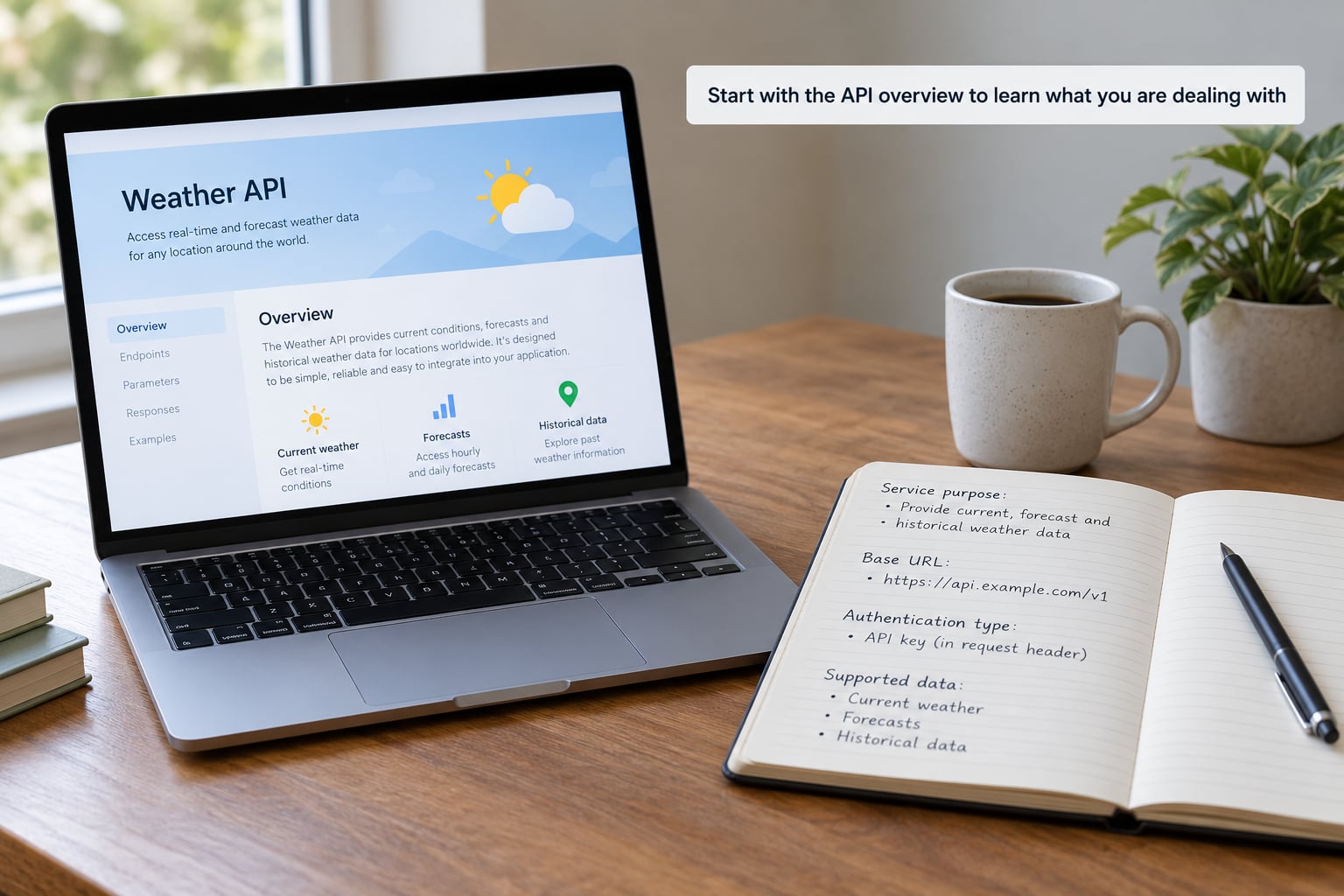
Every documentation site has an overview page, and that page answers four questions before you touch a single endpoint: who runs the service, what data it holds, what the base URL is, and how you authenticate.
The base URL is the root address of the API — for Open-Meteo it is https://api.open-meteo.com/v1. Every endpoint you call later is a path bolted onto that root, so if you cannot find the base URL on the overview page, the docs are giving you a poor start.
Write those four facts in your scratch file. It takes thirty seconds and it saves you twenty minutes of confusion later.
2. Find the endpoint that matches your goal
An endpoint is one addressable job the API offers, such as “current conditions” or “list posts”. The reference section usually lists them alphabetically or by resource, so search for the noun rather than reading down the page.
Each endpoint carries an HTTP method, and the method tells you what the call does. GET reads. POST creates. PUT replaces. PATCH updates part of something. DELETE removes. As a beginner you will use GET almost exclusively.
Keep the URL path and the full request URL separate in your head. /v1/forecast is the path. https://api.open-meteo.com/v1/forecast is the full request URL, and the one plus the path is what you paste into the client.
3. Decode the parameters before you send anything
Parameters are the inputs. A parameter labelled required will fail without it; one labelled optional has a default you can usually ignore.
Path parameters sit inside the URL and identify a specific item, like /posts/5. Query parameters sit after the question mark and modify the request, like ?limit=10. Mixing them up is the single most common beginner error, because a path parameter has no value the API can default to.
For a current-weather call the required parameters are latitude and longitude, and Open-Meteo also accepts current=temperature_2m to choose which measurement comes back. Every parameter has a documented type: a string takes text, a number takes digits, and a boolean takes true or false. Guessing here is why a request that “looks right” comes back empty.
4. Understand authentication and request headers separately
Two different things get called “the key” in conversation, so separate them in your notes. Authentication proves who you are. A request header carries instructions about the format of this particular call.
Three schemes cover almost everything you will meet: an API key sent in a header such as x-api-key, a bearer token sent as Authorization: Bearer …, and OAuth 2.0, which is a longer flow where you exchange a token for a short-lived one.
Documentation usually shows the scheme as a cURL line or an Authorize button in the interactive panel. Never paste a real key into a public repository, a screenshot, or an article — including this one. If a key leaks, revoke it in the developer console and generate a new one.
5. Read the request example, because it is the fastest route
The example request on the page is a complete, working call. Copy it rather than assembling one from the prose. It is usually cURL, JavaScript, Python or PHP.
Break it into five parts and you have understood the whole request: the method, the URL, the headers, the query parameters, and the body. A body is the data you send with POST, PUT or PATCH — a new article’s title and body, for instance. A GET has no body at all.
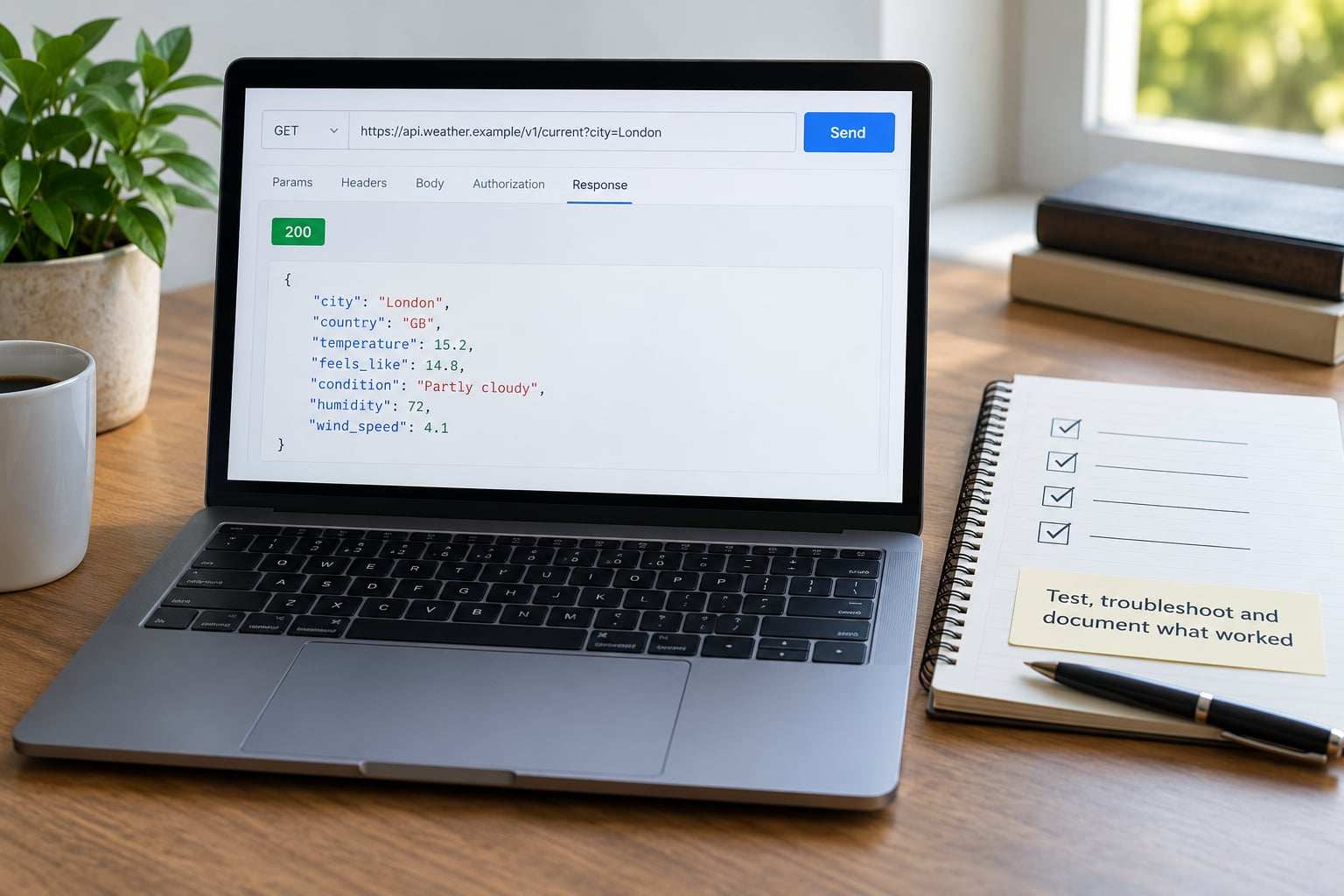
Paste the cURL line into a terminal and run it unchanged. If you get a 200 and a block of JSON, the example is good and your setup works.
6. Interpret the response instead of staring at it
The response has three layers, and you only need the third to start.
The status code is the headline. 200 means it worked. 201 means something was created. Anything starting with 4 is your fault — a wrong parameter, a missing key. Anything starting with 5 is the server’s fault.
Response headers carry metadata, including the rate limit headers many APIs return. The body is the payload, usually JSON: a set of key-value pairs in curly braces, with square brackets holding arrays of objects.
For the weather call above, the whole useful answer is one line deep:
GET https://api.open-meteo.com/v1/forecast?latitude=52.52&longitude=13.41¤t=temperature_2m{
"latitude": 52.52,
"current": {
"time": "2026-10-03T12:00",
"temperature_2m": 14.3,
"wind_speed_10m": 11.2
}
}Find temperature_2m, notice the unit and the timestamp, and you have your answer. Check the units every time: 14.3 could be Celsius, and a timestamp without a time zone is a trap that will embarrass you in a published story.
7. Test, troubleshoot and document what worked
Send the smallest request that can succeed — one endpoint, one required parameter, nothing optional. Add parameters one at a time so you always know which change caused a new error.
When it fails, read the error body. It usually names the offending parameter and gives the allowed values. These are the ones you will actually hit:
| Code | Plain meaning | What to do |
|---|---|---|
| 400 | Malformed request | Check the URL syntax and parameter types |
| 401 | Not authenticated | Key missing, wrong, or in the wrong header |
| 403 | Authenticated but refused | Key lacks the scope your call needs |
| 404 | No such endpoint | Wrong path, wrong base URL, or wrong version |
| 429 | Too many requests | Slow down and respect the rate limit headers |
| 500 | Server error | Retry later; it is not your request |
Save each working request in your scratch file with a note about what it returns. Next week you will not remember the parameter name, and that file is faster than searching a docs site.
Common Mistakes
Reading the whole documentation site. You do not need it. Read the quickstart, the guide for your task, and the reference page for the one endpoint you call. The rest is noise until you need it.
Guessing parameter types. A string parameter that expects comma and gets true fails quietly or returns nothing. The reference page states the type for every parameter; read it.
Treating a path parameter like a query parameter. If the docs put the value inside the URL, it goes inside the URL. It has no default.
Copying an example from an old version. Check the version selector before you copy. The old example is the most common reason a first call 404s.
Putting a key in the wrong place. Some APIs want the key in a query parameter, some in a header. Sending it in the query string when the docs specify a header gets you a 401.
Ignoring units, time zones and pagination. Timestamps, currency, distance and language all vary. Large result sets arrive in pages — look for limit and offset parameters, and never assume one page is the whole dataset.
Retrying a 429 in a tight loop. That makes the limit worse. Read the rate limit headers, wait, and space your calls.
Not reading the error response. The error body is the most precise documentation on the page. Log the whole response, status line included.
Two habits do most of the work: run every example rather than reading it passively, and keep a running glossary of terms that stopped you. Learners who track unfamiliar terms in a personal glossary report faster onboarding than those who re-read the same page.
Frequently Asked Questions
What is the easiest way to learn how to read API documentation as a beginner?
Start with a documentation site that has an interactive Try it out panel, copy the example request for one GET endpoint, and send it unchanged before changing anything. Reading method beats reading volume: quickstart first, then the guide for your task, then the reference page for that single endpoint.
Do I need programming experience to understand API documentation?
No. You can learn to read API documentation with an API client such as Postman or Insomnia, which builds the request for you and shows the raw response. That gets you through methods, parameters, authentication and status codes without writing a line of code. Programming helps later, at the point where you automate the call.
Do I have to read the whole API documentation?
Only the parts relevant to your task. Beginner learners on developer forums broadly agree on this point: the overview for context, the guide for your goal, and the reference entry for the endpoints you call. Everything else is reference material you will consult the day you need it, not reading you have to do up front.
How do I know which endpoint and HTTP method to use?
Search the reference by the noun your task needs, such as weather or posts. The endpoint name usually contains it. The method tells you the action: GET reads, POST creates, PUT replaces, PATCH updates part of a resource, DELETE removes. Beginners rarely need anything beyond GET.
Why does my API request fail even when I copied the example?
Check four things in order: the API version, since old examples fail on newer versions; the status code, where 401 means an authentication problem and 404 usually means a wrong base URL or path; the parameter types, where a string and a boolean are easy to swap; and your rate limit, where a 429 means you are calling too fast.
How do I read a JSON response without getting confused?
Read it as nested folders rather than prose. Curly braces hold key-value pairs, square brackets hold lists, and the key name tells you what the value means. Find the one field you need, check its type and unit, and ignore the rest. Copy the response into a formatter if the raw text looks messy.
Conclusion: Make Your First Test Request
Reading API documentation is a lookup job with a fixed order, not a study task. Pick one endpoint, identify its method and required parameters, copy a valid example, send the smallest request that can work, read the response for the one value you need, then change a single thing at a time.
Do this first: open the quickstart for Open-Meteo or JSONPlaceholder, paste the sample GET request into Postman, and press send. One successful response teaches you more than an hour of reading about API documentation.