
How to deploy a static site for a news project takes about an afternoon the first time you do it, then about two minutes per story afterwards. You write in Markdown (or through a git-based CMS), a generator such as Hugo or Eleventy compiles the whole publication into a folder of plain HTML, CSS and JavaScript, and a Git-connected host such as Cloudflare Pages or Netlify publishes that folder to a CDN. There is no database behind it, which is exactly why newsrooms like the trade-off: nothing to patch, nothing to get breached, and a story stays fast even when it lands on every front page in the country.
The catch is editorial, not technical. A static site assumes somebody can push a commit every time a story goes out, and a rebuild of the entire publication takes longer as your archive grows. Fix those two things early and the rest is configuration.
Table of Contents
- What You Need
- Step-by-Step: How to Deploy a Static Site for a News Project
- Common Mistakes
- Frequently Asked Questions
- Can a static site handle a news project with interactive charts and maps?
- Do I need a server or database to publish a static news site?
- Which hosting platform is best for a small newsroom project?
- How do newsroom editors publish updates after the site is deployed?
- How do I connect a custom domain and turn on HTTPS?
- What is the simplest way to roll back a broken news deployment?
- Conclusion
What You Need

Six things, and you can assemble them in an afternoon. Everything after this list assumes you have all six.
- Story content in a plain-text format. Markdown files with YAML front matter work with every generator. If your reporters write in something else, the export step is part of the migration, not part of the deploy.
- A static site generator. Hugo for very large archives, Eleventy for a newsroom that wants to own its templates, Astro when the project mixes journalism pages with interactive components, Jekyll only if you are inheriting an existing Jekyll site. Next.js static export is the odd one out here because you give up most of what makes Next useful.
- A Git repository with a remote. GitHub, GitLab or Codeberg all work. Every host below connects to a Git remote, so this is not optional.
- An account with a Git-connected static host. Cloudflare Pages and Netlify are the two that come up most often in practice; GitHub Pages works fine for a small publication; a VPS is the deliberate-control option.
- A domain and access to its DNS records. You need the ability to add a CNAME and an A or AAAA record. If your registrar cannot do that, change registrar before you start.
- A decision about who publishes. This is the part people skip and regret. Either a developer pushes every story, or you attach a git-based CMS like Decap CMS so an editor writes in a browser and the commit happens for them.
Cost, roughly: the free tiers on Cloudflare Pages, Netlify and GitHub Pages cover most independent publications outright. Paid tiers exist for larger build minutes, higher bandwidth allowances and team seats. A small VPS is the cheapest option at scale but adds patching and uptime work to somebody’s week. Hosting a news project for free is realistic; treating a free tier as permanent is the risky part, because bandwidth limits and fair-use policies change.
Step-by-Step: How to Deploy a Static Site for a News Project
Six steps. Each one has a check, and if the check passes you move on. Skipping the checks is how people end up debugging a live site at 11pm before a morning deadline.
1. Prepare and verify the static site build
Install the generator’s dependencies and run the build on your own machine first. Every mainstream generator prints the path it wrote to, and for Hugo that is usually public/, for Eleventy _site/, for Jekyll _site/, for Astro dist/. Write that path down now, because it becomes the publish directory setting later and getting it wrong is the single most common deploy failure.
npm ci
npm run build      # Hugo: hugo --minify
                    # Eleventy: npx @11ty/eleventy
                    # Astro: npm run build
ls _site            # confirm your HTML, CSS, JS and data files are all here
Serve the output folder over HTTP rather than opening the HTML file directly. A short local server catches broken asset paths that a double-click hides completely.
Before you go further, confirm four things: every story URL you expect resolves to a file, stylesheets and images load from their absolute paths, your JSON and CSV data files the charts read from are present in the output, and any map tiles or embeds still work. A static build that works on localhost and breaks on the host is almost always a path that assumed a subdirectory.
Check: you can browse the built site at a localhost address and every interactive element works.
2. Choose a static hosting service
Pick the host before you write any configuration, because the build settings, the custom domain flow and the rollback story all differ. Here is how the realistic options compare for a news project.
| Host | Free tier | Custom domain + HTTPS | Best for | Watch out for |
|---|---|---|---|---|
| Cloudflare Pages | Yes, generous bandwidth allowance | Automatic, CNAME plus A/AAAA records | News projects with images and traffic spikes | Build minutes are capped per month on free plans |
| Netlify | Yes, with a monthly credit for builds and bandwidth | Automatic | Teams wanting deploy previews per pull request | Credit model surprises people publishing media files |
| GitHub Pages | Yes, for public repositories | Automatic via the CNAME file | Small publications already living in GitHub | Build runs are time-capped; large archives can exceed them |
| Vercel | Yes, hobby tier | Automatic | Projects with some interactive components | Less free headroom for image-heavy journalism |
| Self-hosted VPS with Nginx | No, monthly rental plus your time | Manual, via a certificate tool such as Certbot | Newsrooms that need full control or unusual build requirements | You own updates, uptime monitoring and TLS renewal |
For most news projects I would take Cloudflare Pages or Netlify, because the build runs for you on every push and HTTPS is a checkbox. GitHub Pages is a sensible second choice if your whole archive already lives in GitHub. Reach for a VPS only when you have a reason, and treat the reason as owning a server rather than as saving money.
Check: you can state in one sentence why you chose this host. If the sentence is “it came up first”, test a second one with a throwaway repo.
3. Connect the project to the hosting service
This is how to deploy a static site from Git rather than by dragging folders. Create a new project in your host’s dashboard, choose deploy from Git, authorise the repository, then set three values: the build command, the publish directory and the environment variables.
- Build command —
hugo --minify,npx @11ty/eleventy,bundle exec jekyll buildornpm run builddepending on the generator. - Publish directory — the folder from step 1:
public,_siteordist. - Environment variables — anything your templates read, such as a map tile key or an analytics identifier. Set these in the host’s environment settings, marked for production, rather than in a committed config file.
Choose the production branch, usually main, and decide whether preview builds are on. Preview builds matter more for a newsroom than for a normal site: an editor can open a pull request with the corrected sentence and read the rendered story before anybody merges it.
name: Build news site
on:
  push:
    branches: [main]
jobs:
  build:
    runs-on: ubuntu-latest
    steps:
      - uses: actions/checkout@v4
      - uses: actions/setup-node@v4
        with:
          node-version: 20
      - run: npm ci
      - run: npm run build
      - uses: actions/upload-artifact@v4
        with:
          name: site
          path: _site
Check: the first deployment reaches a success state and its live URL shows your homepage with working styles.
4. Add the custom domain and HTTPS
Add the domain inside the host’s dashboard first, then point DNS at it. DNS and certificates are where beginners lose an afternoon, so work from the host’s on-screen instructions and change one record at a time.
| Record | Name | Points to | Purpose |
|---|---|---|---|
| CNAME | www | The hostname your host gives you | Canonical www address |
| A | apex or @ | An IPv4 address from your host | Bare domain without www |
| AAAA | apex or @ | An IPv6 address from your host | IPv6 visitors, if provided |
Certificate provisioning takes from a few minutes to a few hours while DNS propagates. Do not force repeated redeploys hoping to speed it up; nothing changes until the record resolves. On GitHub Pages the same idea is expressed as a CNAME file in the site root containing your bare domain.
When it works, your host should issue a certificate automatically and redirect one canonical hostname to the other. Pick the canonical form and keep it consistent, because splitting your news site’s URLs across two addresses hurts how search engines treat your archive.
Check: both yourdomain.com and www.yourdomain.com load over HTTPS and one redirects to the other.
5. Test the deployed news project
Run this checklist against the deployed URL, not your laptop. Anything you skip here gets discovered by a reader.
- Internal links between stories resolve, including ones added months ago in an archive template.
- JavaScript interactions work: chart tooltips, interactive maps, scrollytelling, search.
- Images are sized sensibly, carry alt text, and lazy-load below the fold.
- Layouts hold up on a narrow phone screen and on a large monitor.
- Page titles, meta descriptions and Open Graph images are correct, including for individual story URLs.
- A sitemap, RSS or Atom feed and robots.txt are generated and reachable.
- Article structured data validates in Google’s testing tool for a sample story.
- Analytics loads once, without double-counting from a duplicated script.
- Keyboard navigation works and images have alternative text, which matters for public-sector and grant-funded projects.
- A 404 page exists and is styled like the rest of the site.
Check feed URLs before you announce anything. A news site with no working feed is a subscription funnel that quietly dead-ends, and it is the most common miss after launch.
6. Publish updates through version control
The repeat workflow should be boring. If a reporter can publish without a developer, the editorial system writes to Git and everything downstream follows.
- The editor writes or edits a story in the CMS interface.
- The CMS commits the Markdown file to a content branch and opens a pull request.
- The host builds a preview URL for that pull request.
- An editor reads the preview, checks the headline, image and links, and approves.
- Merging to
maintriggers the production build and deploy automatically. - If the live page is wrong, the host’s rollback button redeploys the previous successful build in seconds.
For a news desk that publishes often, watch build duration as the archive grows. Options that help: keeping images and video out of the repository and on a media CDN, splitting a very large archive across subdomains, or choosing a generator with incremental rebuild support. A full rebuild that takes four minutes is fine at one publish an hour and painful at ten.
Check: publish a test correction from the CMS and watch it go live without a developer touching a terminal.
Common Mistakes
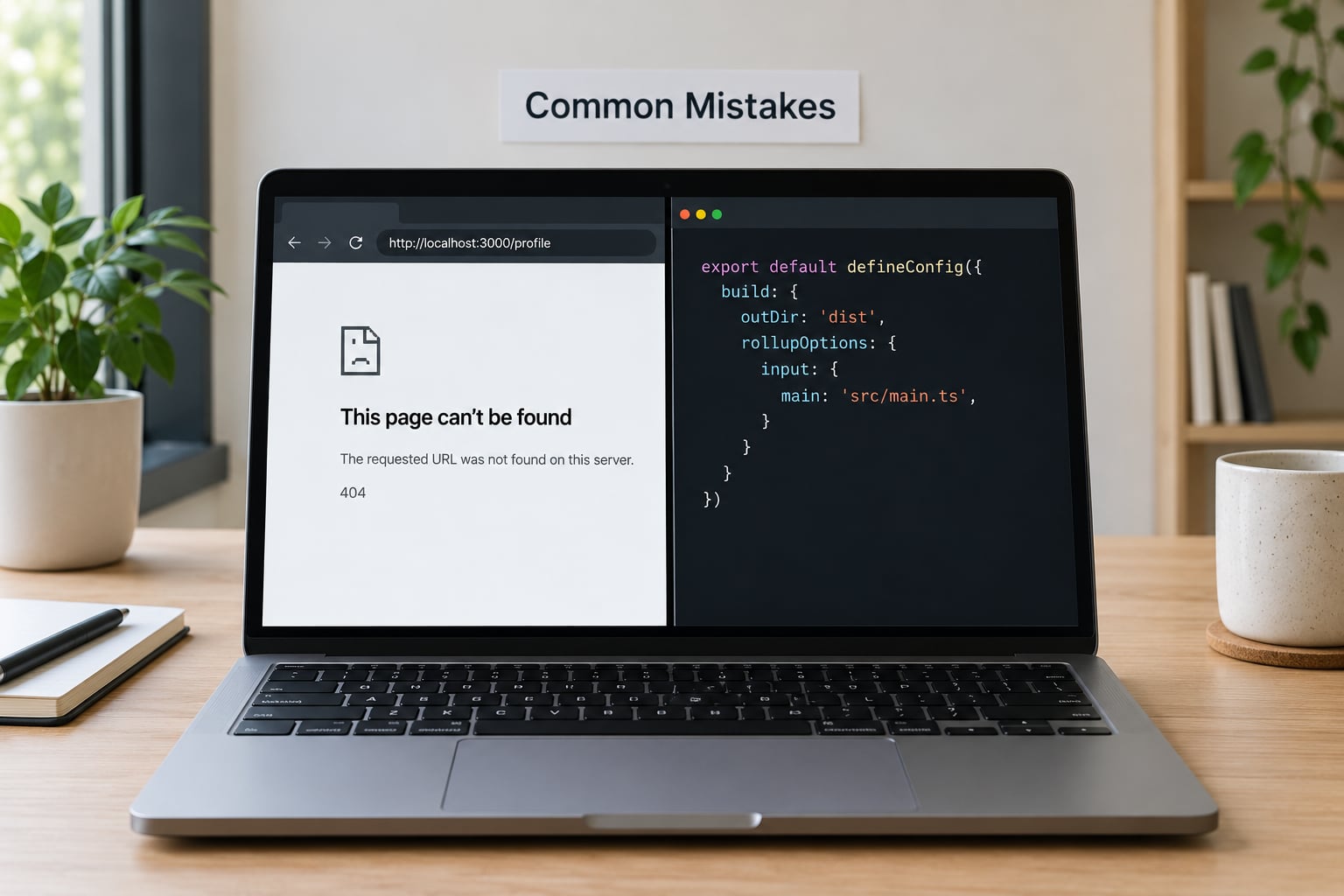
Almost every failure below has the same cause: something is configured slightly differently from what the code expects. Match each symptom to its fix.
| Symptom | Likely cause | Fix |
|---|---|---|
| Every page returns 404 but the build succeeded | Publish directory points at the project root instead of the generated folder | Change the publish directory to the generator’s output folder, redeploy |
| Styles and images missing, unstyled text | Relative asset paths that assume a subdirectory | Switch templates to absolute paths, for example /css/main.css |
| First deploy fails with an error nobody can explain | Pages not enabled yet for the project, or a missing runtime version | Enable Pages in the repository settings, pin the Node or Ruby version explicitly |
| Domain shows an error page or certificate warning | DNS record not added, or added at the wrong name, or still propagating | Re-check the record name and target, then wait out propagation before touching anything else |
| Live page shows an old version after publishing | CDN cache still serving the earlier build | Trigger a cache purge, or add cache-busting to asset filenames at build time |
| Builds get slower every month | Repository growing with full-resolution images and video | Move media off the repository, resize assets at build time, or enable incremental builds |
| Editors queue up waiting on a developer | No editorial interface, publishing still means a commit | Attach Decap CMS or a hosted git CMS and set preview builds for review |
Two newsroom-specific points the table does not cover. Corrections and retractions are a commit like any other: fix the story file, merge, and the next build carries the change everywhere it appears, including archive listings. Takedowns are harder, because search engines and readers may already hold the URL — return a proper 410 from the host and purge the CDN cache rather than quietly 404ing it.
If something looks wrong and you cannot name the cause, open the deploy log in the host’s dashboard before touching anything else. The error is nearly always in the last twenty lines, and most of the fixes above are visible right there.
Frequently Asked Questions
Can a static site handle a news project with interactive charts and maps?
Yes. The HTML, CSS and JavaScript for a chart or map ships as part of the build and runs in the reader’s browser, so interactivity does not need a server. The things to plan for are asset size and data files: keep map tiles and video off your own host, load data as compact JSON, and set a performance budget before you publish.
Do I need a server or database to publish a static news site?
No. Every page is pre-built, so there is no database and no runtime code handling requests. What you do need is somewhere to hold the repository and run the build, which the hosting platform handles as part of connecting your Git remote. The one exception is content that is personalised per reader, such as paywalled accounts.
Which hosting platform is best for a small newsroom project?
Cloudflare Pages or Netlify for most newsrooms. Both build automatically on every push, issue HTTPS certificates without work, offer a free tier that covers normal publication traffic, and provide one-click rollback. GitHub Pages suits publications already living in GitHub. A VPS costs more in your own time than in money and is only worth it for a specific reason.
How do newsroom editors publish updates after the site is deployed?
Attach a git-based CMS such as Decap CMS, or a hosted equivalent. Editors write and edit in a browser interface; each save commits the Markdown file and opens a pull request; the host builds a preview URL; an editor approves; merging to the main branch deploys to production. Nobody needs a terminal, and every change stays in version control as an audit trail.
How do I connect a custom domain and turn on HTTPS?
Add the domain in your host’s dashboard, then create a CNAME for your subdomain pointing at the hostname the host provides, and an A plus AAAA record for the bare domain if the host gives you IP addresses. Certificates are issued automatically once DNS resolves, usually within minutes and occasionally a few hours. Then confirm one hostname redirects to the other so your URLs stay canonical.
What is the simplest way to roll back a broken news deployment?
Use the rollback button in your host’s dashboard. Cloudflare Pages and Netlify both keep previous successful builds and can redeploy one in seconds, which is faster and safer than rebuilding by hand. For content you need to change rather than revert, a revert commit in Git gives you the same result plus a recorded reason, which is what a corrections policy usually wants.
Conclusion
The path is short: build the site locally and inspect the output folder, connect the repository to Cloudflare Pages or Netlify with the right build command and publish directory, add the custom domain and wait for the certificate, then run the pre-launch checklist against the deployed URL. Start with those three moves — local build, host choice, one preview deploy — before you touch the production domain.
The part worth deciding on day one is who publishes. Attach a git-based CMS early, keep media out of the repository, and your newsroom gets a site that is fast, secure and rollback-friendly without a developer becoming a bottleneck for every headline.